While setting up a Windows 8 workstation to connect to a Brocade Vyatta firewall on RackSpace Cloud, I got the following error:
Error 850: The Extensible Authentication Protocol type required for authentication of the remote access connection is not installed on your computer.
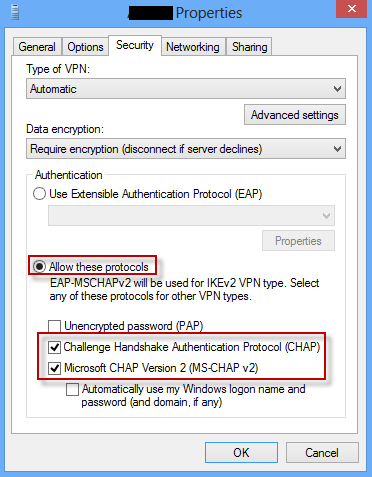
Turns out the fix is pretty simple – on the Connections Properties -> Security tab we need to explicitly set the authentication protocols as shown in this image:
Credit goes to Brendan at SysadminSpot for providing this solution:




