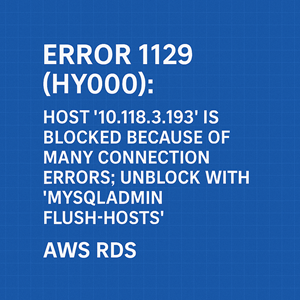
If you’re running an Amazon RDS MySQL instance and see this error:
|
1 2 |
ERROR 1129 (HY000): Host 'x.x.x.x' is blocked because of many connection errors; unblock with 'mysqladmin flush-hosts' |
…it means MySQL has blocked the host due to exceeding the allowed number of failed connection attempts. By default, max_connect_errors is 100.
This article explains how to identify, fix, and verify the issue on AWS RDS MySQL (tested on version 8.0.42 Community).
1. Understanding the Error
MySQL increments a counter of failed connections for each host. Common causes include:
- Wrong username or password in the application.
- Network instability or dropped packets between your app and RDS.
- Clients that repeatedly attempt to connect without closing properly.
- Bots or misconfigured services hitting the DB endpoint.
When the number of failed connections from a host exceeds max_connect_errors, MySQL blocks it.
2. Identifying the Problem
You can confirm the issue and gather context inside the RDS MySQL session:
|
1 2 3 4 5 6 |
-- Check how many failed connections are being logged SHOW GLOBAL STATUS LIKE 'Aborted_connects'; -- Check the current max_connect_errors setting SHOW VARIABLES LIKE 'max_connect_errors'; |
Additionally, check the RDS Performance Insights or CloudWatch metrics for spikes in connections and errors.
To see which hosts are connecting (or failing), query the process list:
|
1 2 |
SHOW PROCESSLIST; |
3. Fixing the Problem
A. Unblock the Host Immediately
Unlike self-hosted MySQL, you don’t run mysqladmin flush-hosts at the OS level on RDS. Instead, inside the MySQL session:
|
1 2 |
FLUSH HOSTS; |
This resets the error counters and unblocks the host.
B. Prevent Recurrence
1. Fix the root cause
- Double-check application DB credentials.
- Ensure your app is closing connections cleanly (use connection pooling).
- Investigate any abnormal traffic hitting the DB endpoint.
2. Increase max_connect_errors
If the environment is prone to transient failures, you can raise the limit:
|
1 2 |
CALL mysql.rds_set_configuration('max_connect_errors', 10000); |
On RDS, you can’t edit my.cnf, but you can:
- Modify the DB Parameter Group in the AWS Console (set
max_connect_errorsto a higher value). - Apply the parameter group to your instance (requires a reboot if not dynamic).
4. Verifying the Fix
After unblocking and/or increasing the threshold:
|
1 2 3 |
SHOW GLOBAL STATUS LIKE 'Aborted_connects'; SHOW VARIABLES LIKE 'max_connect_errors'; |
- Ensure
Aborted_connectsstops increasing rapidly. - Verify that your app can reconnect from the previously blocked host.
- Monitor CloudWatch for new connection failures.
5. Best Practices
- Use a connection pooler (e.g., RDS Proxy, HikariCP) to minimize repeated connect/disconnect cycles.
- Secure your RDS instance (restrict access with Security Groups and VPC rules).
- Monitor
Aborted_connectsregularly with CloudWatch alarms. - Keep
max_connect_errorsreasonably high if your workload involves many connections.
Conclusion
On AWS RDS MySQL, Error 1129 means your host was blocked after too many failed connections. The quick fix is FLUSH HOSTS, but the long-term solution is to fix root causes (bad credentials, network issues, or unoptimized connection handling) and tune max_connect_errors via RDS Parameter Groups.
With the right monitoring and configuration, you can prevent this problem from recurring and keep your applications running smoothly.




