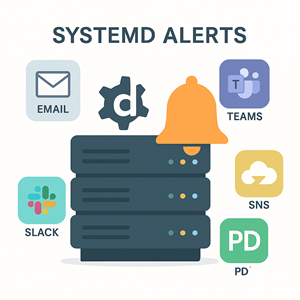
A practical, copy‑pasteable guide for catching job failures from your systemd services and timers—and actually hearing about them.
Why this guide
Cron jobs fail silently. systemd is better: it tracks unit state, captures logs, and can trigger follow‑up units on failure. This guide shows how to wire those features into the channels you already use—email, Slack/Teams, wall, MOTD, and generic webhooks (PagerDuty, healthchecks, custom REST). Everything here is production‑oriented: templated units, minimal dependencies, and secrets handled via EnvironmentFile=.
Quick wins
- Add an OnFailure handler to the service that your timer triggers.
- Drop in one of the templated notifier services below (email, Slack, webhook, etc.).
- Reload systemd and test with a failing job.
|
1 2 3 4 5 6 7 8 9 10 11 12 13 14 15 16 17 18 19 20 21 22 23 24 25 26 27 28 29 30 31 32 33 |
# Example: nightly backup job sudo tee /etc/systemd/system/backup.service >/dev/null <<'UNIT' [Unit] Description=Nightly backup [Service] Type=oneshot ExecStart=/usr/local/bin/run-backup.sh # Notify via email and Slack if this service fails OnFailure=notify-email@%n.service OnFailure=notify-slack@%n.service # Optional: mark jobs that hang too long as failures RuntimeMaxSec=2h UNIT sudo tee /etc/systemd/system/backup.timer >/dev/null <<'UNIT' [Unit] Description=Nightly backup (timer) [Timer] OnCalendar=daily Persistent=true RandomizedDelaySec=5m Unit=backup.service [Install] WantedBy=timers.target UNIT sudo systemctl daemon-reload sudo systemctl enable --now backup.timer |
Test a failure and confirm notifications fire:
|
1 2 3 |
sudo systemd-run --unit=demo-fail.service /bin/false # Or: temporarily change ExecStart to `/bin/false` and run `systemctl start backup.service` |
How systemd decides something “failed”
A unit is considered failed when its Result is not success (e.g., exit-code, signal, timeout). When a service fails, systemd queues all units listed in OnFailure= on that service. Those notifier units receive the original unit name as their instance (%i/%n) so they can include context in messages.
Useful fields you can query:
|
1 2 3 |
systemctl show <unit> -p Id,Names,Result,ExecMainStatus,ActiveEnterTimestamp,ActiveExitTimestamp journalctl -u <unit> -n 200 --no-pager --output=short-iso |
Reusable metadata helper
All notifier scripts below build a small context block for consistent messages:
|
1 2 3 4 5 6 7 8 9 10 11 12 13 14 15 16 17 18 19 20 21 |
# /usr/local/lib/systemd-notify/context.sh UNIT_NAME="$1" HOSTNAME_FQDN=$(hostname -f 2>/dev/null || hostname) READABLE_TIME=$(date -Is) RESULT=$(systemctl show "$UNIT_NAME" -p Result --value) EXIT_CODE=$(systemctl show "$UNIT_NAME" -p ExecMainStatus --value) START_TS=$(systemctl show "$UNIT_NAME" -p ActiveEnterTimestamp --value) END_TS=$(systemctl show "$UNIT_NAME" -p ActiveExitTimestamp --value) JOURNAL=$(journalctl -u "$UNIT_NAME" -n 200 --no-pager --output=short-iso 2>/dev/null) cat <<CTX unit: $UNIT_NAME host: $HOSTNAME_FQDN time: $READABLE_TIME result: $RESULT exit_code: $EXIT_CODE started: $START_TS ended: $END_TS --- logs (last 200 lines) --- $JOURNAL CTX |
Make it executable:
|
1 2 |
sudo install -D -m 0755 /usr/local/lib/systemd-notify/context.sh /usr/local/lib/systemd-notify/context.sh |
Option A — Email on failure (local MTA or relay)
Script
|
1 2 3 4 5 6 7 8 9 10 11 12 13 14 15 16 17 18 19 20 21 |
# /usr/local/bin/sd-notify-email #!/usr/bin/env bash set -euo pipefail UNIT_NAME=${1:?"usage: sd-notify-email <unit>"} SUBJECT="[ALERT] systemd unit failed: $UNIT_NAME on $(hostname -f 2>/dev/null || hostname)" BODY=$(bash /usr/local/lib/systemd-notify/context.sh "$UNIT_NAME") # Send using /usr/bin/mail or /usr/sbin/sendmail (choose what you have) if command -v mail >/dev/null; then echo "$BODY" | mail -s "$SUBJECT" "$MAIL_TO" elif command -v sendmail >/dev/null; then { echo "Subject: $SUBJECT" echo "To: $MAIL_TO" echo echo "$BODY" } | sendmail -t else echo "No mailer found (mail/sendmail)" >&2 exit 1 fi |
Unit template
|
1 2 3 4 5 6 7 8 9 |
# /etc/systemd/system/notify-email@.service [Unit] Description=Send email when %i fails [Service] Type=oneshot EnvironmentFile=-/etc/systemd/system/notify-email.conf ExecStart=/usr/local/bin/sd-notify-email %i |
Config
|
1 2 3 |
# /etc/systemd/system/notify-email.conf MAIL_TO=ops@example.com |
Reload: sudo systemctl daemon-reload
Tip: If you don’t run a local MTA, configure
ssmtp,msmtp, or relay through Postfix/Exim to your provider.
Option B — Slack via Incoming Webhook
Script (Slack)
|
1 2 3 4 5 6 7 8 9 10 11 12 13 14 15 16 |
# /usr/local/bin/sd-notify-slack #!/usr/bin/env bash set -euo pipefail UNIT_NAME=${1:?"usage: sd-notify-slack <unit>"} WEBHOOK_URL=${SLACK_WEBHOOK_URL:?"SLACK_WEBHOOK_URL is required (set via EnvironmentFile)"} TEXT=$(bash /usr/local/lib/systemd-notify/context.sh "$UNIT_NAME" | sed 's/"/\"/g') PAYLOAD=$(cat <<JSON {"text":"*systemd failure on $(hostname)*: ``` $TEXT ```"} JSON ) curl -fsS -X POST -H 'Content-type: application/json' --data "$PAYLOAD" "$WEBHOOK_URL" |
Unit template
|
1 2 3 4 5 6 7 8 9 |
# /etc/systemd/system/notify-slack@.service [Unit] Description=Slack alert when %i fails [Service] Type=oneshot EnvironmentFile=-/etc/systemd/system/notify-slack.conf ExecStart=/usr/local/bin/sd-notify-slack %i |
Config
|
1 2 3 |
# /etc/systemd/system/notify-slack.conf SLACK_WEBHOOK_URL=https://hooks.slack.com/services/T000/B000/XXXX |
Option B2 — Microsoft Teams via Incoming Webhook
Teams expects a slightly different JSON shape (an Adaptive Card or a simple message). Below is a minimal message card using the Incoming Webhook connector.
Script (Teams)
|
1 2 3 4 5 6 7 8 9 10 11 12 13 14 15 16 17 18 19 20 |
# /usr/local/bin/sd-notify-teams #!/usr/bin/env bash set -euo pipefail UNIT_NAME=${1:?"usage: sd-notify-teams <unit>"} WEBHOOK_URL=${TEAMS_WEBHOOK_URL:?"TEAMS_WEBHOOK_URL is required (set via EnvironmentFile)"} BODY=$(bash /usr/local/lib/systemd-notify/context.sh "$UNIT_NAME" | sed 's/"/\"/g') read -r -d '' PAYLOAD <<'JSON' { "@type": "MessageCard", "@context": "https://schema.org/extensions", "summary": "systemd unit failed", "themeColor": "E81123", "title": "Systemd failure on HOSTNAME", "text": "```BODY```" } JSON PAYLOAD=${PAYLOAD//HOSTNAME/$(hostname)} PAYLOAD=${PAYLOAD//BODY/$BODY} curl -fsS -H 'Content-Type: application/json' -d "$PAYLOAD" "$WEBHOOK_URL" |
Unit template
|
1 2 3 4 5 6 7 8 9 |
# /etc/systemd/system/notify-teams@.service [Unit] Description=Teams alert when %i fails [Service] Type=oneshot EnvironmentFile=-/etc/systemd/system/notify-teams.conf ExecStart=/usr/local/bin/sd-notify-teams %i |
Config
|
1 2 3 |
# /etc/systemd/system/notify-teams.conf TEAMS_WEBHOOK_URL=https://outlook.office.com/webhook/XXXX/IncomingWebhook/YYYY/ZZZZ |
Option C — Generic REST/webhook (PagerDuty, Healthchecks.io, custom)
|
1 2 3 4 5 6 7 8 9 10 11 12 13 |
# /usr/local/bin/sd-notify-webhook #!/usr/bin/env bash set -euo pipefail UNIT_NAME=${1:?"usage: sd-notify-webhook <unit>"} URL=${WEBHOOK_URL:?"WEBHOOK_URL is required"} BODY=$(bash /usr/local/lib/systemd-notify/context.sh "$UNIT_NAME") # Default JSON; override with TEMPLATE if your provider requires a different schema PAYLOAD=${TEMPLATE:-} if [[ -z "$PAYLOAD" ]]; then PAYLOAD=$(jq -Rn --arg u "$UNIT_NAME" --arg h "$(hostname)" --arg body "$BODY" '{source:$h,unit:$u,severity:"error",message:$body}') fi curl -fsS -X POST -H 'Content-Type: application/json' -d "$PAYLOAD" "$URL" |
|
1 2 3 4 5 6 7 8 9 |
# /etc/systemd/system/notify-webhook@.service [Unit] Description=Webhook alert when %i fails [Service] Type=oneshot EnvironmentFile=-/etc/systemd/system/notify-webhook.conf ExecStart=/usr/local/bin/sd-notify-webhook %i |
|
1 2 3 4 |
# /etc/systemd/system/notify-webhook.conf WEBHOOK_URL=https://events.pagerduty.com/v2/enqueue # or your endpoint # TEMPLATE='{"routing_key":"...","event_action":"trigger","payload":{"summary":"systemd failure: %i","source":"${HOSTNAME}","severity":"error","custom_details": "'"'"$(bash /usr/local/lib/systemd-notify/context.sh %i)'"'""}}' |
PagerDuty (Events v2) — drop‑in example
You can either use the generic webhook above with a TEMPLATE, or create a dedicated script:
|
1 2 3 4 5 6 7 8 9 10 11 12 13 14 15 16 17 18 19 20 21 22 23 |
# /usr/local/bin/sd-notify-pagerduty #!/usr/bin/env bash set -euo pipefail UNIT_NAME=${1:?} ROUTING_KEY=${PD_ROUTING_KEY:?"PD_ROUTING_KEY required"} SUMMARY="systemd failure: $UNIT_NAME on $(hostname)" DETAILS=$(bash /usr/local/lib/systemd-notify/context.sh "$UNIT_NAME" | jq -Rs .) cat > /tmp/pd.json <<JSON { "routing_key": "$ROUTING_KEY", "event_action": "trigger", "payload": { "summary": "$SUMMARY", "source": "$(hostname)", "severity": "error", "custom_details": $DETAILS } } JSON curl -fsS -X POST 'https://events.pagerduty.com/v2/enqueue' \ -H 'Content-Type: application/json' \ --data @/tmp/pd.json |
|
1 2 3 4 5 6 7 8 9 |
# /etc/systemd/system/notify-pagerduty@.service [Unit] Description=PagerDuty alert when %i fails [Service] Type=oneshot EnvironmentFile=-/etc/systemd/system/notify-pagerduty.conf ExecStart=/usr/local/bin/sd-notify-pagerduty %i |
|
1 2 3 |
# /etc/systemd/system/notify-pagerduty.conf PD_ROUTING_KEY=xxxxxx |
|
1 2 3 4 5 6 7 8 9 10 |
```ini # /etc/systemd/system/notify-webhook@.service [Unit] Description=Webhook alert when %i fails [Service] Type=oneshot EnvironmentFile=-/etc/systemd/system/notify-webhook.conf ExecStart=/usr/local/bin/sd-notify-webhook %i |
|
1 2 3 4 |
# /etc/systemd/system/notify-webhook.conf WEBHOOK_URL=https://events.pagerduty.com/v2/enqueue # or your endpoint # TEMPLATE='{"routing_key":"...","event_action":"trigger","payload":{"summary":"systemd failure: %i","source":"${HOSTNAME}","severity":"error","custom_details": "'"'"'$(bash /usr/local/lib/systemd-notify/context.sh %i)'"'"'"}}' |
Healthchecks.io: create a check with a fail endpoint; set
WEBHOOK_URLto that URL and post a short JSON body.
Option D — Broadcast to logged-in users with wall
|
1 2 3 4 5 6 7 8 9 10 |
# /usr/local/bin/sd-notify-wall #!/usr/bin/env bash set -euo pipefail UNIT_NAME=${1:?} MSG=$(bash /usr/local/lib/systemd-notify/context.sh "$UNIT_NAME" | head -n 12) wall <<EOF ALERT: systemd unit failed: $UNIT_NAME $MSG EOF |
|
1 2 3 4 5 6 7 8 |
# /etc/systemd/system/notify-wall@.service [Unit] Description=wall(1) alert when %i fails [Service] Type=oneshot ExecStart=/usr/local/bin/sd-notify-wall %i |
Option E — Append to /etc/motd.d/ so admins see it next login
|
1 2 3 4 5 6 7 8 9 10 11 12 |
# /usr/local/bin/sd-notify-motd #!/usr/bin/env bash set -euo pipefail UNIT_NAME=${1:?} FILE=/etc/motd.d/50-systemd-failures { echo echo "[ALERT $(date -Is)] $UNIT_NAME failed on $(hostname)" echo "Result=$(systemctl show "$UNIT_NAME" -p Result --value) Exit=$(systemctl show "$UNIT_NAME" -p ExecMainStatus --value)" } | sudo tee -a "$FILE" >/dev/null chmod 0644 "$FILE" |
|
1 2 3 4 5 6 7 8 |
# /etc/systemd/system/notify-motd@.service [Unit] Description=Record failure of %i in /etc/motd.d [Service] Type=oneshot ExecStart=/usr/local/bin/sd-notify-motd %i |
Option F — AWS SNS (works with CloudWatch/EventBridge)
Use this when your fleet is in AWS and you want failures to fan out to email, SMS, Lambda, or incident tools via Amazon SNS. On EC2/ECS, prefer an IAM role for credentials; elsewhere configure
awsCLI with an access key that cansns:Publish.
Script (SNS)
|
1 2 3 4 5 6 7 8 9 |
# /usr/local/bin/sd-notify-sns #!/usr/bin/env bash set -euo pipefail UNIT_NAME=${1:?} TOPIC_ARN=${SNS_TOPIC_ARN:?"SNS_TOPIC_ARN required"} SUBJECT="systemd failure: $UNIT_NAME on $(hostname)" MESSAGE=$(bash /usr/local/lib/systemd-notify/context.sh "$UNIT_NAME") aws sns publish --topic-arn "$TOPIC_ARN" --subject "$SUBJECT" --message "$MESSAGE" |
Unit template
|
1 2 3 4 5 6 7 8 9 |
# /etc/systemd/system/notify-sns@.service [Unit] Description=AWS SNS alert when %i fails [Service] Type=oneshot EnvironmentFile=-/etc/systemd/system/notify-sns.conf ExecStart=/usr/local/bin/sd-notify-sns %i |
Config
|
1 2 3 |
# /etc/systemd/system/notify-sns.conf SNS_TOPIC_ARN=arn:aws:sns:us-east-1:123456789012:ops-alerts |
Tip: Point the SNS topic at multiple subscriptions (email, SMS, webhook, Lambda). You can also bridge into EventBridge for routing/enrichment.
Other useful targets
- Discord via webhook (Slack JSON usually works with minor tweaks)
- Google Chat incoming webhook
- Opsgenie REST API
- Splunk On-Call (VictorOps) REST API
- Email-to-ticket (Jira, Zendesk) via a dedicated mailbox
- AWS SES (if you want to send email directly from AWS)
Wiring it up: OnFailure best practices
- Attach
OnFailure=to the.service, not the.timer. Failures occur on the service unit your timer triggers (e.g.,backup.service). - Use multiple
OnFailure=lines to fan out to multiple channels. - Prefer templated notifiers (
notify-foo@.service) and pass the failing unit via%n. - Keep secrets in
EnvironmentFile=readable by root only (e.g.,/etc/systemd/system/notify-*.conf,0640). - Add
RuntimeMaxSec=to convert hangs into failures you can alert on. - For chat tools, escape content and include recent journal lines.
Example (attach to your service):
|
1 2 3 4 5 6 |
[Service] # ... your ExecStart ... OnFailure=notify-email@%n.service OnFailure=notify-slack@%n.service OnFailure=notify-webhook@%n.service |
Reload after changes:
|
1 2 |
sudo systemctl daemon-reload |
Rate limiting & deduping
It’s easy to spam yourself if a flapping service fails repeatedly.
- Wrap notifiers with systemd’s built‑in start‑rate limiting:
|
1 2 3 4 5 6 7 8 9 |
# Example: rate-limit the Slack notifier [Unit] StartLimitIntervalSec=300 StartLimitBurst=3 [Service] Type=oneshot ExecStart=/usr/local/bin/sd-notify-slack %i |
- Or point OnFailure to an aggregator unit that writes events to a spool directory. A separate
.timerruns every few minutes to summarize and send one message.
Troubleshooting
- Did the notifier run?
123systemctl status notify-email@backup.servicejournalctl -u notify-email@backup.service -b - What was the service’s failure mode?
12systemctl show backup.service -p Result,ExecMainStatus - Simulate failures safely:
12systemd-run --unit=failure-test.service /bin/false - Timer didn’t run? Ensure your
.timerhasUnit=<service>and isenabledandactive. Check with:
12systemctl list-timers --all
Security notes
- Store webhooks and email recipients in root‑readable
EnvironmentFile=files. - Avoid embedding secrets in unit files; unit files are often world‑readable.
- Validate outbound destinations (firewall allow‑list) if servers are sensitive.
Optional: catching “hung” services with WatchdogSec=
If you own the service code, consider integrating sd_notify(READY=1, WATCHDOG=1) and setting WatchdogSec=. When the process stops heartbeating, systemd marks it failed and your OnFailure chain runs. For simple shell jobs, prefer RuntimeMaxSec= as shown earlier.
Appendix: minimal dependencies
bash,curl,wall,mail/sendmail(optional)jqfor the generic webhook script (optional; remove if you supplyTEMPLATE)
Example: all channels for a logrotate job
|
1 2 3 4 5 6 7 8 9 10 11 12 13 14 15 16 17 |
# /etc/systemd/system/logrotate.service [Unit] Description=Run logrotate [Service] Type=oneshot ExecStart=/usr/sbin/logrotate /etc/logrotate.conf OnFailure=notify-email@%n.service OnFailure=notify-slack@%n.service OnFailure=notify-webhook@%n.service OnFailure=notify-wall@%n.service OnFailure=notify-motd@%n.service # Timer [Install] WantedBy=multi-user.target |
Enjoy quiet servers that yell only when it matters.




