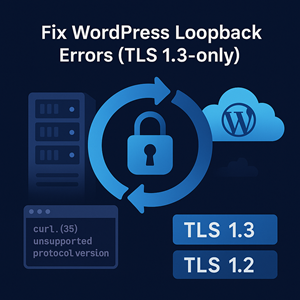
Symptom: WordPress Site Health reports “The loopback request to your site failed”. On the server, curl https://yourdomain returns:
|
1 2 |
curl: (35) Peer reports incompatible or unsupported protocol version |
If you’re running on an older enterprise Linux (CentOS/RHEL 7 era, including extended life support builds), this usually means your server can only speak up to TLS 1.2, while your CDN or load balancer is configured to allow TLS 1.3 only. The result: your server can’t make HTTPS requests to itself. That breaks WordPress loopbacks (used by Site Health and some plugins) and often wp-cron, update checks, and scanners.
TL;DR
- Legacy OS stacks ship OpenSSL versions that don’t support TLS 1.3.
- If your edge (Cloudflare/ALB/nginx/Apache) is set to TLS 1.3 only, server-side tools like
curl(and therefore WordPress loopbacks) fail withcurl: (35). - Fastest fix: allow TLS 1.2 at the edge (still industry-accepted with modern ciphers).
- Long-term fix: upgrade the server OS to something with OpenSSL 3.x (TLS 1.3 capable).
Why WordPress Cares About Loopbacks
Many WordPress features call back into the site over HTTPS using the server’s own networking stack:
- Site Health tests
- wp-cron (scheduled tasks)
- Plugin/Theme updates and integrity checks
- Some security/firewall and backup plugins
If TLS handshakes fail from the server to the site, these calls never succeed—even if regular visitors have no issues in their browsers.
Quick Diagnosis
Run these from the web server (or container) hosting WordPress:
|
1 2 3 4 5 6 7 8 9 10 11 |
# Confirm curl + OpenSSL capabilities curl -V openssl version -a # Try TLS 1.2 explicitly (expect success when edge allows 1.2) curl -Iv --tlsv1.2 https://yourdomain.tld/ # Inspect a TLS 1.2 handshake (OpenSSL 1.0.2/1.1.x supports -tls1_2) echo | openssl s_client -connect yourdomain.tld:443 -servername yourdomain.tld -tls1_2 2>/dev/null | \ grep -E 'Protocol|Cipher' |
Interpretation:
- If
--tlsv1.2works, your edge accepts TLS 1.2 and the problem lies elsewhere. - If
--tlsv1.2fails with the same error, your edge is likely TLS 1.3 only or uses a cipher suite your client can’t negotiate.
Tip: To test the origin directly (bypassing a CDN) while keeping SNI/Host correct, use:
Two Clear Fix Paths
1) Allow TLS 1.2 at the Edge (Fastest, Recommended Short-Term)
Keep TLS 1.3 enabled, but also allow TLS 1.2 with modern AEAD ciphers. This preserves strong security while restoring compatibility for server-side calls from legacy hosts.
Cloudflare:
- SSL/TLS → Edge Certificates → Minimum TLS Version = TLS 1.2.
- Keep “TLS 1.3” On.
AWS Application/Network Load Balancer:
- Choose a security policy that supports both TLS 1.2 and 1.3 (or at minimum TLS 1.2).
- Avoid legacy policies that include TLS 1.0/1.1.
Nginx (terminating TLS on your own server):
|
1 2 3 4 5 6 |
ssl_protocols TLSv1.2 TLSv1.3; # Limit to modern TLS 1.2 ciphers ssl_ciphers 'ECDHE-ECDSA-AES256-GCM-SHA384:ECDHE-RSA-AES256-GCM-SHA384: ECDHE-ECDSA-AES128-GCM-SHA256:ECDHE-RSA-AES128-GCM-SHA256'; ssl_prefer_server_ciphers off; # modern clients pick best |
Reload Nginx and retest curl --tlsv1.2 https://... from the WordPress host.
Apache httpd:
|
1 2 3 4 5 |
SSLProtocol TLSv1.2 TLSv1.3 SSLCipherSuite ECDHE-ECDSA-AES256-GCM-SHA384:ECDHE-RSA-AES256-GCM-SHA384:\ ECDHE-ECDSA-AES128-GCM-SHA256:ECDHE-RSA-AES128-GCM-SHA256 SSLHonorCipherOrder off |
Restart Apache and retest.
2) Upgrade the Server OS (Strategic, Long-Term)
Move to a modern distro (e.g., AlmaLinux/Rocky/Ubuntu LTS) with OpenSSL 3.x and native TLS 1.3. This benefits everything on the box—not just WordPress—by enabling current TLS and cipher suites.
Migration tips:
- Snapshot/AMI or VM backup first.
- Stage the upgrade in a clone, validate PHP/NGINX/Apache versions, extensions, and WordPress functionality.
- Use a blue/green or swap entire instance behind a load balancer for minimal downtime.
Verifying the Fix
Once you’ve allowed TLS 1.2 or upgraded the OS:
|
1 2 3 4 5 6 |
# Server can negotiate TLS again curl -Iv --tlsv1.2 https://yourdomain.tld/ # WordPress cron should be invokable (blank output is fine) curl -fsS https://yourdomain.tld/wp-cron.php?doing_wp_cron | wc -c |
In WordPress Admin → Tools → Site Health, re-run the tests; Loopback request should show “Passed”.
Security Considerations
- TLS 1.2 with modern AEAD ciphers (AES-GCM/CHACHA20) remains broadly approved across compliance regimes.
- Prefer to keep TLS 1.3 enabled for clients that can use it. Allowing TLS 1.2 as a compatibility floor is typically acceptable—especially for server-to-server paths from managed hosts still on legacy OS.
FAQ
Q: Browsers work fine—why is WordPress complaining?
Because your server’s TLS stack is older than your visitors’ browsers. WordPress loopbacks use the server’s own curl/OpenSSL, which may not support TLS 1.3.
Q: Is enabling TLS 1.2 less secure?
With modern cipher suites, TLS 1.2 remains strong. Pair it with HSTS and keep TLS 1.3 enabled for capable clients.
Q: Can I fix this by upgrading curl only?
Not usually. curl depends on the system TLS library; on legacy OS, that library lacks TLS 1.3. You need a full OS refresh or a custom toolchain.
Need a Hand?
At Reliable Penguin, we manage fleets that mix legacy and modern workloads. We can:
- Adjust CDN/LB/edge TLS safely (Cloudflare, AWS ALB/NLB, nginx, Apache)
- Diagnose WordPress loopback/wp-cron failures
- Plan and execute OS upgrades with minimal downtime
Have this issue right now? Contact us and we’ll get your loopbacks—and your updates—running again.




