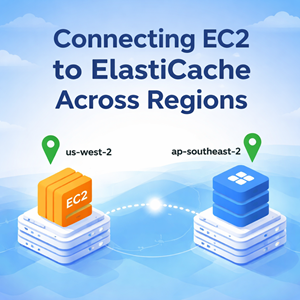
So you’ve got an app server in us-west-2 and a managed Redis/Valkey cluster in ap-southeast-2, and you want them to talk.
The key thing to understand up front: ElastiCache endpoints are private. There’s no “open it to the internet” option (and you wouldn’t want one anyway). To connect across regions, you need private network connectivity between the two VPCs.
This post walks through the practical options and the exact security group + routing mechanics that make it work.
The decision: should you connect cross-region at all?
Before wiring anything up, ask: Do you really want runtime Redis calls crossing regions?
Cross-region traffic adds:
- Latency (often the biggest pain for Redis-backed apps)
- Cost (inter-region data transfer)
- More failure modes (routing/DNS/peering/TGW dependencies)
Best practice (usually): put Redis close to compute
If your workload is primarily in us-west-2, the cleaner approach is to run Redis near it. In AWS terms, that typically means:
- ElastiCache Global Datastore (primary in ap-southeast-2, replica in us-west-2)
- Your us-west-2 instances read locally from the us-west-2 replica
If you truly need the EC2 instance to connect directly to the ap-southeast-2 cluster, keep reading.
Option A: Inter-Region VPC Peering (direct, simplest)
This is the most straightforward way to get private connectivity between two VPCs in different regions.
What you’re building
- A VPC peering connection between the VPC containing EC2 (us-west-2) and the VPC containing ElastiCache (ap-southeast-2)
- Routes in both VPCs so traffic knows where to go
- Security group rules allowing TCP/6379 from the EC2 side to the Redis side
- DNS resolution across peering so the ElastiCache endpoint resolves correctly from us-west-2
Step-by-step: making it work
1) Create the inter-region VPC peering connection
- In either region, create a VPC peering request targeting the other VPC
- Accept it from the other region/account (as applicable)
Important: Your VPC CIDR blocks must not overlap.
2) Add routes on both sides (must be symmetric)
In the us-west-2 VPC route tables (for the EC2 subnets):
- Add a route to the ap-southeast-2 VPC CIDR
- Target: the pcx-xxxx peering connection
In the ap-southeast-2 VPC route tables (for the ElastiCache subnets):
- Add a route to the us-west-2 VPC CIDR
- Target: the pcx-xxxx peering connection
If you only do one side, you’ll get classic “connect timeout” symptoms.
3) Security groups: allow Redis traffic the right way
On the ElastiCache security group (ap-southeast-2)
Add an inbound rule:
- Type: Custom TCP
- Port:
6379(or your configured Redis port) - Source: the us-west-2 VPC CIDR (or a narrower EC2 subnet CIDR)
Tip: for cross-region setups, you’ll commonly use CIDR as the source rather than “SG referencing,” because referencing security groups across regions isn’t generally available in the way people expect.
On the EC2 instance security group (us-west-2)
Ensure outbound allows:
- Type: Custom TCP
- Port:
6379 - Destination: ap-southeast-2 VPC CIDR (or ElastiCache subnet CIDR)
Many EC2 security groups allow all outbound by default—don’t assume, check.
4) Network ACLs (only if you’ve locked them down)
Security groups are stateful. NACLs are stateless.
If your subnet NACLs are restrictive, you must allow:
- Inbound TCP/6379 to the ElastiCache subnet from the EC2 subnet CIDRs
- Return traffic back to EC2 subnets (ephemeral ports)
- Equivalent allowances in the opposite direction as needed
If you’re unsure, start by verifying NACLs aren’t the blocker.
5) DNS: make sure the ElastiCache endpoint resolves correctly from us-west-2
ElastiCache gives you a DNS endpoint hostname. If DNS across the peering link isn’t enabled/configured, the hostname might not resolve as expected from the other VPC.
Checklist:
- VPC DNS resolution/hostnames enabled (both VPCs)
- Peering connection DNS resolution enabled (as supported/configured in your setup)
Testing connectivity from the EC2 instance
From the us-west-2 instance:
|
1 2 3 4 5 6 |
# Basic port reachability nc -vz <elasticache-endpoint> 6379 # Redis client test (non-TLS) redis-cli -h <elasticache-endpoint> -p 6379 ping |
If you’ve enabled in-transit encryption, use TLS:
|
1 2 |
redis-cli -h <elasticache-endpoint> -p 6379 --tls ping |
Expected output:
PONG
Common failure modes (aka “why is this still timing out?”)
- Missing route on one side
You need routes in both VPCs. - CIDR overlap
Peering doesn’t work with overlapping IP space. - Security group source too narrow (or wrong)
The ElastiCache SG inbound must allow the EC2 side CIDR(s) on6379. - NACL blocks return traffic
Especially common in “hardened” VPCs. - DNS resolution not enabled over peering
The endpoint name must resolve to reachable private IPs from the EC2 VPC.
Option B: Transit Gateway / Cloud WAN (for multi-VPC, hub-and-spoke)
If you have more than a couple VPCs, peering starts to sprawl. A Transit Gateway (TGW) (or Cloud WAN) is often cleaner for many-to-many routing.
The security group and DNS principles are the same:
- establish private routing
- allow TCP/6379
- verify DNS endpoint resolution
Wrap-up
If you need a quick checklist:
- ✅ Non-overlapping VPC CIDRs
- ✅ Inter-region private connectivity (Peering or TGW)
- ✅ Routes on both sides
- ✅ ElastiCache SG inbound: TCP/6379 from EC2-side CIDR
- ✅ EC2 SG outbound: TCP/6379 to Redis-side CIDR
- ✅ NACLs (if restrictive) allow 6379 + return traffic
- ✅ DNS resolution works for the ElastiCache endpoint
- ✅
redis-cli pingreturnsPONG
If you want, paste (redact-safe) details like:
- EC2 VPC CIDR + subnet CIDRs (us-west-2)
- ElastiCache VPC CIDR + subnet CIDRs (ap-southeast-2)
- Whether you’re using peering or TGW
…and I’ll give you the minimal route + SG rule set for your exact layout.




