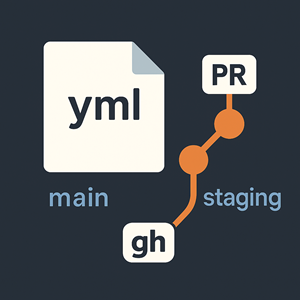
When you maintain multiple long‑lived branches (e.g., main, staging, or release/*), you’ll often need to propagate one specific file—like a CI workflow, CODEOWNERS, or a config—without dragging along every other commit from the source branch. Merging or rebasing just to update a single file is risky: you can pull in unfinished code, hit merge conflicts, or run afoul of protected-branch rules. This playbook shows how to open a tiny PR that updates exactly the file(s) you choose from another branch, using GitHub CLI. It keeps the change reviewable, auditable, and safe for protected branches.
Example. Your main branch has the latest .github/workflows/frontend-deploy.yml, but staging is behind. Set the variables to:
|
1 2 3 4 |
FILE=".github/workflows/frontend-deploy.yml" SOURCE_REF="origin/main" BASE="staging" |
Run the steps below and you’ll get a PR titled something like “Sync .github/workflows/frontend-deploy.yml from main” with a single‑file diff. Reviewers can approve quickly, and the workflow update applies on staging without merging unrelated code. This approach also works across remotes (e.g., upstream/main) and for multiple files.
Prerequisites
- Git (2.23+ recommended for
git restore; otherwise use the fallback shown). - GitHub CLI (
gh) logged in:gh auth status -h github.com
0) Configure variables
|
1 2 3 4 5 6 7 8 9 10 11 12 13 14 15 16 17 18 19 20 |
# --- edit these for your use case --- # File(s) to sync (space-separated allowed) FILE=".github/workflows/frontend-deploy.yml" # FILES=".github/workflows/a.yml .github/workflows/b.yml" # ← multi-file example # Where to copy FROM (remote + ref) SOURCE_REF="origin/main" # The branch to open the PR INTO (target/base) BASE="staging" # Remote name (usually 'origin') REMOTE="origin" # Name for the working branch (customize if you like) WORK_BRANCH="chore/sync-$(basename "$FILE")-from-$(basename "$SOURCE_REF")" # --- end config --- |
Tip: For multiple files, set
FILES="path1 path2"and replace$FILEwith$FILESin steps below.
1) Fetch and branch off the base
|
1 2 3 4 5 |
cd /path/to/your/repo gh auth status -h github.com git fetch "$REMOTE" git checkout -b "$WORK_BRANCH" "$REMOTE/$BASE" |
2) Restore ONLY the specified file(s) from the source ref
|
1 2 3 4 5 6 |
# Preferred (Git 2.23+): git restore --source="$SOURCE_REF" -- "$FILE" # Fallback for older Git: # git checkout "$SOURCE_REF" -- "$FILE" |
3) Sanity-check the changes
|
1 2 3 |
git status git diff -- "$FILE" |
4) Commit and push
|
1 2 3 4 |
git add -- "$FILE" git commit -m "Sync: $(basename "$FILE") from $(basename "$SOURCE_REF")" git push -u "$REMOTE" HEAD |
5) Open the PR with gh
|
1 2 3 4 5 6 7 8 9 10 11 12 |
gh pr create \ --base "$BASE" \ --head "$WORK_BRANCH" \ --title "Sync $FILE from $(basename "$SOURCE_REF")" \ --body "Updates only `$FILE` from `$SOURCE_REF`." # Optional niceties: # --reviewer alice,bob # --label ci,workflow # --draft # --web |
Notes & variations
- Multiple files: use a space-separated list, e.g.
FILES=".github/workflows/a.yml .github/workflows/b.yml"then:
git restore --source="$SOURCE_REF" -- $FILESandgit add -- $FILES. - Different remote or refs: change
REMOTE,SOURCE_REF, andBASE(e.g.,SOURCE_REF="upstream/main",BASE="release/1.9"). - If the file doesn’t exist on the base branch:
restorewill add it; that’s fine. - If your Git is older: stick with the
git checkout <ref> -- <path>fallback.
Troubleshooting
fatal: pathspec '<file>' did not match any files
Check the path and ensure it exists inSOURCE_REF.- PR opens but shows other files changed
Ensure you branched from the remote base (git checkout -b ... "$REMOTE/$BASE") and only restored the intended file(s).




