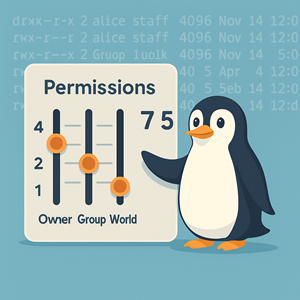
You know that feeling when you run ls -l, stare at rwxr-xr-x for a few seconds, and then quietly Google “chmod 755 what does it mean” for the hundredth time?
Same.
File permissions are one of those things you learn once and then keep half-forgetting forever. Numeric vs symbolic, 700 vs 755, “is this world writable or just group writable?” — your brain is busy, it can only hold so much.
So let’s make this stick with a story, a limerick, and a few terrible jokes.
A little limerick to remember 4–2–1
First, the tiny math trick underneath all of this:
- read = 4
- write = 2
- execute = 1
Now, a limerick you can mutter to yourself the next time you’re squinting at chmod:
There once was a code, four-two-one,
Where “read” counted four, “write” was two, “exec” one.
Just add up the set,
To see what you get—
And seven means all three have been done.
Remember: 4 (r) + 2 (w) + 1 (x) = 7 (rwx)
That’s the entire numeric magic.
A quick story: the 2 a.m. chmod
Imagine it’s 2 a.m., production is broken, and you’re tired. You just want the app to work.
You type:
|
1 2 |
chmod 777 somedir |
The error goes away. The app works. You go to bed.
In the morning, Future You (a bit more awake) looks at it and screams internally. By making it 777, you didn’t just fix the problem — you gave everyone on the system permission to read, write, and execute in that directory. It’s like fixing a squeaky door by removing the entire front wall.
We don’t want that.
So let’s break down what these permissions really are, and how to pick them with confidence.
Symbolic permissions: rwxr--r-x as little cartoon characters
When you run ls -l, you see something like:
|
1 2 |
drwxr-xr-x 2 alice staff 4096 Nov 14 12:00 public_html |
Focus on that drwxr-xr-x part. It’s ten characters:
- First character: what is this?
-= regular filed= directoryl= symlink
- Next 9 characters: three sets of
rwx:rwx→ owner (user)r-x→ groupr-x→ others (world)
So in rwxr--r-x:
- Owner:
rwx→ read, write, execute - Group:
r--→ read only - Others:
r-x→ read + execute, no write
We’ll convert that specific one to numbers in a bit.
Numeric permissions: turning rwx into a single digit
Now the numeric side: each rwx trio collapses into one digit:
r(read) → 4w(write) → 2x(execute) → 1
Add them up:
---= 0--x= 1-w-= 2-wx= 3r--= 4r-x= 5rw-= 6rwx= 7
You then write one digit for:
- Owner
- Group
- Others
So:
rwxr-xr-x→ 7 (rwx), 5 (r-x), 5 (r-x) → 755rw-r--r--→ 6 (rw-), 4 (r–), 4 (r–) → 644
A few examples
Is a 700 directory world-writable?
Let’s start with one that comes up all the time when you’re locking down home directories or app data: is 700 secretly too open? If you’re picturing some mystery “world write” hole hiding in there, this is where the 4–2–1 trick calms everything down.
Short answer: no, 700 is actually very strict.
700 = rwx------:
- Owner:
7→rwx(all access) - Group:
0→---(no access) - Others:
0→---(no access)
Think of it as: “I can do anything in here, everyone else sees a locked door.” It’s perfect for things like ~/.ssh where even read access for other users would be a problem.
A directory is world-writable only if the third digit includes write (2):
- last digit = 2, 3, 6, or 7 → world can write
Examples of world-writable:
x x 2→--wx x 3→-wxx x 6→rw-x x 7→rwx
So 707, 757, 777 are world-writable.
700 is not. It’s “owner only, everyone else keep out.”
Quick cheat:
Look only at the third digit.
- 0, 1, 4, 5 → not world-writable
- 2, 3, 6, 7 → world-writable
What’s the number for rwxr--r-x?
Now let’s go the other direction: you run ls -l and see a permission string like rwxr--r-x. Maybe a framework or package set it for you, and you’d like to tighten or copy it using chmod.
This is where your brain wants to say, “I know this is something like 74-something…but which?” Instead of guessing, walk it left to right and apply 4–2–1.
Let’s translate:
- Owner:
rwx→ 4 + 2 + 1 = 7 - Group:
r--→ 4 + 0 + 0 = 4 - Others:
r-x→ 4 + 0 + 1 = 5
So rwxr--r-x = 745.
Semantically, that’s:
- Owner: full control (can read, modify, and execute)
- Group: read only (can see the file but can’t change or run it)
- Others: read and execute (typical for scripts or binaries that are shared but not group-managed)
You might use something like 745 when you want a script that you maintain, a group that only needs to read it for reference, and everyone else allowed to run it but not edit it. Reading the numbers as little sentences like that helps the pattern stick.
Directories vs files: x means “you may enter”
There’s one more subtlety that bites people: x on directories doesn’t mean “run this directory like a program.” It means you can enter it and traverse it.
For directories:
r→ you can list names inside (ls).w→ you can create, delete, or rename entries in that directory.x→ you can cd into it and access things you already know the name of.
So a directory with r-x:
- Can be entered (
x) - Can be listed (
r) - But if
wis missing, you can’t add/remove files there.
That’s why 755 is such a common directory mode:
- Owner:
rwx→ full control. - Group & others:
r-x→ they can traverse and read, but not write.
Handy quick reference tables
rwx → digit cheat sheet
| Digit | rwx | Meaning |
|---|---|---|
| 0 | — | nothing |
| 1 | –x | execute only |
| 2 | -w- | write only (rare in practice) |
| 3 | -wx | write + execute |
| 4 | r– | read only |
| 5 | r-x | read + execute |
| 6 | rw- | read + write |
| 7 | rwx | read + write + execute |
Common file and directory modes
| Symbolic | Numeric | Typical use |
|---|---|---|
rw------- |
600 | Private configs, SSH keys |
rw-r--r-- |
644 | Regular files: owner edits, others read |
rw-rw-r-- |
664 | Shared project files within a group |
rwx------ |
700 | Private directories (~/.ssh, ~/private) |
rwxr-xr-x |
755 | Web roots, public bin directories, executables |
rwxr--r-x |
745 | Owner full; group read; others read/exec |
rwxrwxr-x |
775 | Shared project dirs where group can write |
rwxrwxrwx |
777 | Everyone can do everything (usually a red flag) |
A tiny mental model for chmod
When you see something like 755, read it out loud in your head:
- 7 (rwx): “I own this; I can do anything.”
- 5 (r-x): “My group can read and run, but not modify.”
- 5 (r-x): “Everyone else can read and run, but not modify.”
For 700:
- 7 (rwx): “I can do anything.”
- 0 (—): “Group? No.”
- 0 (—): “World? Also no.”
For 745 (rwxr--r-x):
- Owner: full control
- Group: read only
- Others: read and execute
Once you pair the 4–2–1 limerick with that “read the three digits as three sentences,” it becomes way easier to pick permissions intentionally instead of typing 777 and hoping for the best.
File permission jokes to end on a smile
You said you liked the jokes, so let’s keep them — slightly tuned:
- Why did the sysadmin break up with their partner?
Because the relationship was set tor--r--r--—no write permissions anywhere. - Why are sysadmin diaries always 600?
Because some thoughts are strictlyrw-------. - A file walks into a bar. The bartender says, “You can’t be here, this place is 755.”
The file replies, “It’s fine. The owner invited me, and everyone can read the menu.” - Why did the directory refuse to hang out with 777?
“I have standards. You let anyone write on your walls.” - What did the web server say to the misconfigured file?
“I can’t serve you like this. Go put on something more appropriate. Maybe 644?”




