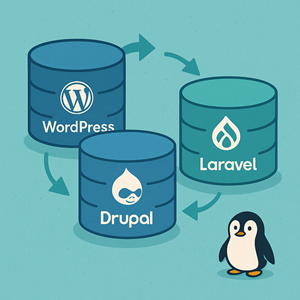
“Database migration” sounds like a single, well-defined task—until you compare how WordPress, Drupal, and Laravel handle it.
All three live in the PHP ecosystem. All three use relational databases. But they sit on a spectrum:
- WordPress – No central migration framework; lots of plugins, conventions, and search/replace.
- Drupal – Core update API and configuration management; migrations are structured but split between “config” and “content.”
- Laravel – Migrations are first-class code, version-controlled right beside your application.
If you’re supporting all three stacks (hello, agencies and managed hosting providers), it really helps to understand how each one thinks about database changes.
What Do We Mean by “Database Migration”?
In this article, “database migration” covers three related concepts:
- Schema changes
Adding/removing tables, columns, indexes, or constraints. - Configuration and structured data
Content types, views, menus, settings—often editable via both UI and code. - Content and environment moves
- Moving a site from local → staging → production
- Cloning a site to a new domain
- Keeping multiple environments in sync without stepping on editors’ toes
Most real-world work touches all three. The twist is that each platform emphasizes a different part of this picture.
Bird’s-Eye View: How They Compare
| Aspect | WordPress | Drupal | Laravel |
|---|---|---|---|
| Core migration framework? | No generic one; plugins & ad-hoc scripts | Yes: Update API + Config Management | Yes: migrations & seeders in core |
| Typical migration style | Manual SQL + WP-CLI + plugins | hook_update_N() + config export/import |
Code-first PHP migration classes |
| Config vs content separation | Mostly mixed in the DB | Explicit: config (YAML) vs content (DB) | Config in code files; content handled separately |
| Rollback story | Restore backups or plugin snapshots | Forward-only updates; rollback is usually backups | Built-in rollback/refresh commands |
| Serialized data issues | Big concern (options/meta/widgets) | Rare | Rare |
WordPress: Migrations by Convention, Not Framework
WordPress started life as a blogging platform, not an application framework with formal schema migrations. That history shows.
How schema changes happen
Schema changes typically come from:
- Core and plugins
Running SQL during activation or update hooks (often viadbDelta()or direct SQL). - Manual changes
Developers making tweaks with phpMyAdmin, Adminer, or hand-written SQL. - WP-CLI
Import/export and search/replace operations through commands like:wp db export/wp db importwp search-replace, including options to work safely with serialized data
There’s no central “migration history” table that shows every step taken over time. You get a collection of plugin activation routines, some SQL files, and institutional memory.
Configuration and content are tangled
In WordPress, almost everything lives in the database together:
- Site options in
wp_options - Theme and plugin settings
- Widgets and builder layouts
- Posts, pages, CPTs, and all their meta
There’s no formal “this is config, that is content” boundary. That makes it hard to move just the “code-level” part of a site between environments.
Serialized data: the classic foot-gun
WordPress stores a lot of complex values as serialized PHP strings (options and meta values, especially for themes and page builders). A naive text update or global search/replace will happily break those by changing the length without updating the serialized metadata.
The usual answer is to use tools that understand serialization:
wp search-replacewith proper flags- Specialized tools like InterconnectIT’s Search Replace DB
- Plugins with “serialized aware” replacement logic
“Migration” usually means “move the whole site”
In everyday WordPress work, “migration” usually looks like:
- Clone the entire database and
wp-contentfrom one environment to another. - Run a safe URL/domain search/replace.
- Clear caches, fix any environment-specific settings, and you’re done.
That’s very different from Laravel’s “apply a series of code-defined schema changes” mindset.
WordPress migration pros and cons
Pros
- Huge ecosystem of backup and migration plugins.
- Low barrier to entry; WP-CLI + a good plugin can take you far.
- Works well when you rarely change schema and mostly move entire sites around.
Cons
- No native, code-first migration history.
- Rollbacks are coarse-grained (restore backup vs. roll back a single change).
- Serialized data makes naive tooling dangerous.
- Environment synchronization is tricky when content editors are active everywhere.
Drupal: Structured Updates and Configuration Management
Drupal takes a more formal, enterprise-friendly approach.
Update hooks for schema and data
When a Drupal module needs to change its data model, you:
- Update
hook_schema()so new installs get the correct schema. - Add a numbered update hook like
my_module_update_9001()in the module’s.installfile.
These update hooks:
- Run once, in sequence.
- Are invoked via
update.phpin the browser or Drush (drush updatedb/drush updb). - Can alter tables, migrate data, or adjust configuration.
Think of them as Drupal’s equivalent of small, targeted migrations tied to a module.
Configuration management: config as code
Starting with Drupal 8, there’s also a full configuration management system:
- Config lives as YAML in a directory (often
config/sync). - You export it from one environment, commit to Git, and import on another.
- Commands like
drush config:exportanddrush config:importare standard in deployment pipelines.
This adds a clearer separation:
- Config (content types, views, some settings) → YAML + Git
- Content (nodes, users, files) → lives in the database
A quick note on the Migrate module
Drupal also has a Migrate API and related modules, used to pull data from other systems (CSV, legacy DBs, etc.). That’s more about initial imports or big one-off moves than day-to-day schema updates, but it often gets mentioned in the same breath.
Drupal migration pros and cons
Pros
- First-class, code-driven update mechanism in core.
- YAML config export/import plays nicely with Git and code review.
- Good structure for multi-environment, team-based development.
Cons
- Update hooks are mostly forward-only; rollbacks still lean on database backups or compensating updates.
- There are multiple moving parts (update hooks, config import, Migrate API), so deployments need clear order-of-operations.
- Still requires discipline to avoid ad-hoc production tweaks that bypass the pipeline.
Laravel: Migrations as Version Control for Your Database
Laravel treats migrations as the way you manage your schema—period.
Code-first migrations
Laravel migrations are small PHP classes that describe how to change the schema:
- You create them with
php artisan make:migration. - The
up()method applies schema changes;down()rolls them back. - You run them with
php artisan migrate.
The framework keeps a migrations table to track which ones have run, much like Git keeps a history of commits.
Laravel’s own docs describe migrations as “like version control for your database,” and the Schema builder API lets you write database-agnostic migration code against multiple drivers.
Seeders and test data
A typical Laravel workflow:
php artisan migratephp artisan db:seed
Seeders and factories let you fill local or test environments with realistic data. For CI pipelines and ephemeral environments, this is gold: bring up a fresh schema, seed it, run tests, tear it down.
Rollback and rebuild
Because each change is encapsulated in a migration, you get built-in tooling for:
- Rolling back the last batch (
migrate:rollback). - Rolling back a fixed number of steps.
- Dropping all tables and re-applying all migrations (
migrate:fresh).
This is especially powerful on developer machines and in automated pipelines.
Laravel migration pros and cons
Pros
- Central, code-first, reviewable history of schema changes.
- Strong built-in rollback and refresh tooling.
- Very friendly to CI/CD and multi-developer teams.
- Database driver abstraction lets the same migrations target multiple engines.
Cons
- Requires developer discipline to funnel all schema changes through migrations.
- Teams used to GUI-driven database tweaks have a learning curve.
- For content-heavy apps, you still need an additional story for data migrations (long-running jobs to transform existing rows).
How Migrations Feel Day to Day
Local → staging → production
WordPress
- Often move entire databases and files between environments.
- Use WP-CLI and serialization-aware tools to adapt URLs and environment-specific values.
- Core and plugin schema changes happen mostly via plugin updates.
Drupal
- Deploy code, run update hooks (
drush updb), then import config. - Content stays in the target environment; you rarely overwrite production content.
- Big content migrations use the Migrate API or custom scripts.
Laravel
- Deploy code, run
php artisan migrateon each environment. - You almost never copy databases around; schema is recreated from code, and data grows within each environment.
- Seeders/factories help with dev/test; production data is typically hands-off.
Rollbacks and “oh no” moments
- WordPress – Restore a backup or snapshot from your hosting platform or plugin.
- Drupal – Restore a DB backup or write additional update hooks to repair data.
- Laravel – Use
migrate:rollbackormigrate:fresh(in non-prod), plus backups for serious failures in production.
If You Run All Three: Practical Guidance
Many agencies and hosting providers live in hybrid ecosystems: WordPress for marketing sites, Drupal for intranets or complex publishing, Laravel for custom apps and APIs. A few practical rules of thumb:
- Lean into each platform’s native tools
- WordPress: standardize on WP-CLI and proven migration/backup plugins; always use serialization-safe tools.
- Drupal: use update hooks and config export/import for anything that should be tracked in code.
- Laravel: treat migrations and seeders as the only acceptable way to change schema.
- Treat migrations as code, even when the platform doesn’t
- Put SQL scripts, WP-CLI commands, and deployment playbooks in your repo.
- Document every schema change in PRs, not just in change-management tickets.
- Be explicit about what moves between environmentsFor each project, define:
- Schema flow (who runs migrations, when, and how).
- Config flow (what’s editable in prod vs. code only).
- Content flow (do we ever overwrite content from another environment, or is prod the source of truth?).
- Standardize backups and test restoresOn every platform:
- Automate backups at sensible intervals.
- Test restores on non-production environments.
- Write runbooks: “If deployment fails at step N, do X, Y, Z.”
Conclusion
WordPress, Drupal, and Laravel all talk about “database migrations,” but they’re solving slightly different problems:
- WordPress focuses on moving whole sites and coping with the quirks of serialized data in a loosely structured DB.
- Drupal gives you a structured, code-driven update pipeline plus configuration management, aimed at complex editorial and enterprise sites.
- Laravel treats schema changes as fully version-controlled, code-first artifacts, baked into the framework from day one.
If you understand where each platform is coming from, you can build migration processes that play to their strengths instead of fighting them—and you won’t be trying to jam a Laravel-style migration philosophy into WordPress, or vice versa.




