If you’ve ever tried to explain a CloudFront bill to a CFO, you know the look: a mix of confusion, suspicion, and “why is logging more expensive than the site itself?”
For years, CloudFront pricing has been a pile of moving parts – data transfer, per-request charges, WAF, Route 53, log ingestion, maybe Lambda@Edge if you were feeling ambitious. The new flat‑rate CloudFront pricing plans are AWS’s attempt to bundle the mess into something closer to a subscription: one plan, one distribution, no line‑item overage surprises.
In this article, we’ll walk through:
- What’s included at each plan level
- What’s not included (and why that matters more than the marketing)
- How to decide whether a flat‑rate plan or classic pay‑as‑you‑go makes sense for a specific site
Reliable Penguin’s opinion in one sentence: for a lot of normal sites, these plans are genuinely attractive – as long as you understand the guardrails.
1. What AWS Is Actually Selling Here
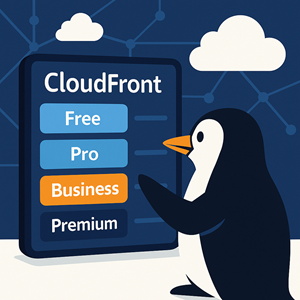
AWS now offers four flat‑rate tiers for CloudFront:
- Free – $0/month
- Pro – $15/month
- Business – $200/month
- Premium – $1,000/month
Each plan applies to one CloudFront distribution (think: one app/site) and is designed around one primary domain. You don’t get a magical “all you can eat” CDN for your entire AWS account; you get a bundled front door for a single property.
Every plan combines:
- CloudFront CDN delivery
- DDoS protection
- AWS WAF
- Route 53 DNS for the site’s hosted zone
- CloudWatch log ingestion for access and WAF logs
- TLS certificates via ACM
- A chunk of S3 Standard storage credits
On paper this looks like a “security + performance front door as a service” product. And that’s a fair way to think about it.
The big marketing hook: no overage charges. The fine print: there are usage allowances, and if you live way outside them all the time, AWS can throttle you or ask you to move to a different plan.
2. What You Get at Each Level
All four plans share the same core feature set:
- Global CDN with HTTP/2 and HTTP/3
- Configurable caching, headers, and behaviors
- Basic DDoS protection
- AWS WAF with managed rule groups
- CloudFront Functions for lightweight edge logic
- Route 53 hosted zone for your domain
- CloudWatch log ingestion for access and WAF logs
- ACM TLS certificates
- Some S3 Standard storage credits
Where they differ is in how big the sandbox is.
2.1 Usage Allowances (Requests, Data, DNS)
Roughly speaking, each plan gives you:
- Free
- ~1 million requests per month
- ~100 GB data transfer out
- A small DNS query allowance
- A tiny S3 credit
- Pro
- ~10 million requests per month
- Up to 50 TB data transfer out
- A modest DNS query allowance suitable for a typical marketing site or small app
- More S3 credit
- Business
- ~125 million requests per month
- Up to 50 TB data transfer out
- Bigger DNS and record count limits
- S3 credit in the terabyte range
- Premium
- ~500 million requests per month
- Up to 50 TB data transfer out
- High DNS and record limits
- Even larger S3 credits
A few important nuances that AWS doesn’t exactly shout from the rooftops:
- Traffic blocked by WAF or DDoS protection doesn’t count against your quotas. Good rules literally save you money here.
- DNS queries to ALIAS records pointing at CloudFront and other AWS services often don’t count against your query allowance. If you’re still sprinkling CNAMEs around because “that’s how we’ve always done it,” this is a nudge to stop.
- The three paid tiers all share the same 50 TB transfer limit today. The main differentiators are requests, DNS scale, WAF limits, and S3 credits.
2.2 Security and WAF Limits
Security is a major part of the value proposition. All tiers include:
- Managed WAF rule groups (e.g., for common web app attacks)
- IP-based blocking and rate limiting
- Geo‑blocking
- Regex-based matching
- Basic bot controls
The higher you go, the more WAF “room” you get:
- Free: very small, simple rule sets
- Pro: enough for a typical WordPress, SaaS marketing, or simple app frontend
- Business: room for more complex apps and multiple managed rule groups
- Premium: you’re building something big and security‑sensitive
One gotcha: if you’re on a pricing plan, a WAF web ACL must remain attached to your distribution. You’re not allowed to “just turn WAF off” without leaving the plan.
2.3 DNS and Route 53
Each plan can include one Route 53 hosted zone for the site. Within that you get:
- Hosted zone fee
- A plan‑specific limit on DNS records
- A plan‑specific allowance of standard DNS queries
If you exceed those DNS limits, AWS can quietly move that hosted zone back to normal, metered Route 53 pricing while the CloudFront plan keeps going. So the plan wraps DNS, but only up to a point.
For many sites, the key takeaway is: use ALIAS to CloudFront instead of plain CNAMEs where you can. You get better behavior at the apex and keep more of your DNS traffic inside the “free” bucket.
2.4 Logging, Monitoring, and S3 Credits
Logs are where a lot of CloudFront customers get surprised. Access logs and WAF logs can turn into a serious CloudWatch bill if you aren’t careful.
All of the flat‑rate plans include:
- CloudFront access log ingestion into CloudWatch Logs
- WAF log ingestion into CloudWatch Logs
- A log viewer / dashboard experience tuned for the plan
- S3 Standard storage credits you can apply to any bucket in the payer account
If you care about observability and security (you should), getting log ingestion baked into the plan is a genuinely nice change.
3. What These Plans Don’t Cover (This Matters)
Here’s where the story becomes less “one simple price” and more “read the conditions.” Flat‑rate plans do not support everything CloudFront can do. Before you flip the switch, check your architecture.
Features that don’t play nicely with pricing plans include:
- Multi‑tenant distributions (one distribution serving many unrelated customer domains)
- Continuous deployment/staging distributions
- Anycast IP list configuration
- Real‑time access logs (you must use standard logs)
- Lambda@Edge – the plans are built around CloudFront Functions, not Lambda@Edge
- A handful of advanced AWS WAF add‑ons and partner rule sets
If you rely on any of those, your options are:
- Redesign around CloudFront Functions and supported features, or
- Stay on pay‑as‑you‑go pricing.
Also worth knowing:
- You can’t delete a distribution while it’s on a plan. You have to cancel the plan and let the billing period end first.
- Disabling the distribution doesn’t stop the plan charge; it just stops traffic.
- If you run far outside your plan’s request or transfer allowances for long enough, AWS can throttle or strongly suggest a move to a higher tier or back to metered pricing.
So yes, “no overages,” but it’s not an unlimited pipe.
4. When a Flat‑Rate Plan Is a Good Fit
From our perspective, the flat‑rate plans make sense when your site checks several of these boxes:
- You’re comfortably inside a tier’s usage limits.
Not brushing the ceiling every month. You’ve got room for normal spikes and marketing campaigns. - You’re already using WAF, Route 53, and logs—or you want to.
If you run CloudFront + WAF + DNS + CloudWatch Logs today, your combined spend is probably already in the same ballpark as Pro or Business. - You care about predictable bills more than unlimited elasticity.
If the business hates surprise invoices more than it loves handling a once‑a‑year viral spike at any cost, flat‑rate is attractive. - You can live without Lambda@Edge and the other unsupported toys.
If you’ve built complex edge logic on Lambda@Edge, these plans are not for you without refactoring. - One‑distribution‑per‑site economics make sense.
Each plan covers one distribution and one primary domain. If you run 40 tiny sites on 40 domains, giving each its own paid plan probably isn’t how you want to spend money.
5. When You Should Stick With Pay‑As‑You‑Go
There are plenty of cases where the old model is still the right answer:
- Very small or hobby‑level sites.
If you live comfortably inside CloudFront’s existing free tier, you’re not going to “save” money with a $15/month plan. - Wildly spiky workloads.
Launch events, flash sales, viral content: you may prefer pure elasticity with no plan ceilings or throttling conversations. - Architectures anchored on Lambda@Edge, multi‑tenant distributions, or continuous deployment.
If your edge logic and release process depend on those, forcing everything into the plan box will hurt more than it helps. - Very high transfer volumes per distribution.
If you’re regularly pushing past the 50 TB/month mark per distribution, you’re in “call your AWS rep and talk about discounts” territory anyway. - You want full flexibility to mix‑and‑match third‑party security, DNS, and logging.
Some organizations like to tune each piece separately. That’s hard to do when everything’s bundled.
6. How to Decide Plan vs. Pay‑As‑You‑Go for a Given Site
Here’s a practical, repeatable process you can use on each CloudFront‑backed property.
Step 1: Pull Real Numbers
For the last 30–90 days, grab:
- CloudFront requests and data transfer out
- WAF web ACLs and rule counts
- Route 53 hosted zone record count and DNS queries
- CloudWatch ingestion volume for access + WAF logs
- S3 Standard storage for the relevant buckets
Then estimate your current all‑in monthly cost for:
CloudFront + WAF + Route 53 + CloudWatch Logs + S3 storage
This doesn’t have to be precise down to the penny. ±20% is fine.
Step 2: Try the Site on for Size in Each Plan
Use the plan allowances as guardrails:
- If you’re well under 1M requests and 100 GB, look at Free or the existing CloudFront free tier.
- If you’re around 2–10M requests and a couple of TB, Pro is the first serious candidate.
- If you’re in the tens of millions of requests and still under 50 TB, Business is where you start.
- If you’re in the hundreds of millions of requests, Premium is the top of the flat‑rate ladder.
If you don’t fit comfortably in any tier—especially on requests—don’t try to squeeze. This isn’t a T‑shirt.
Step 3: Check for Unsupported Features
Before you get excited about the price, run a quick architectural check:
- Are you using Lambda@Edge?
- Do you depend on CloudFront continuous deployment or staging distributions?
- Is the distribution multi‑tenant (many independent customer domains)?
- Do you rely on real‑time logs or advanced WAF add‑ons?
If the answer to any of these is “yes,” you either have a refactor project or a very simple decision to stay on pay‑as‑you‑go.
Step 4: Compare Dollars and Risk
Now compare:
- Plan price for the appropriate tier
- Current all‑in monthly cost for the same stack
If the plan is cheaper or roughly the same, ask a couple of blunt questions:
- “Would we be happy paying this fixed price every month for this front door?”
- “Are we okay with the plan ceilings and feature constraints?”
If the honest answer to both is yes, the plan is a good candidate. If not, the old model is fine—there’s no prize for switching just because the feature is new.
7. Real‑World Examples
A few quick scenarios to make this less abstract.
Example 1: Small WordPress Site
- 300k page views/month
- ~2M requests/month
- 50–100 GB data transfer
- Simple WAF rules
- One small hosted zone
You’re above the Free plan’s 1M request ceiling but comfortably within Pro. Once you add up CloudFront, WAF, DNS, and log ingestion, Pro at $15/month is likely a win and gives you a cleaner story to tell non‑technical stakeholders.
Example 2: Mid‑Size SaaS Marketing Site
- 8–12M requests/month
- 1–3 TB transfer
- ~20 WAF rules
- ~100 DNS records and a few million queries/month
On paper you straddle Pro and Business. If you regularly spike over 10M requests, Business is the safer call to avoid living at the edge of the limit. If your current all‑in spend is anywhere near the Business price, the plan gives you predictability and simpler accounting.
Example 3: High‑Traffic App with Heavy Edge Logic
- 150M+ requests/month
- 40–70 TB transfer
- Heavy use of Lambda@Edge
- Multi‑tenant or advanced deployment setup
You might fit into Business or Premium on paper, but Lambda@Edge and multi‑tenant design are hard blockers. This is a pay‑as‑you‑go workload until you deliberately redesign.
8. Reliable Penguin’s Take
We see the new CloudFront pricing plans as legitimately useful for a big slice of “normal” sites:
- Single‑brand marketing sites
- Content sites with moderate traffic
- Frontends for SaaS products that don’t rely on complex edge logic
For those, the bundle is appealing:
- Predictable front‑door cost
- Security baked in instead of bolted on
- Logging that won’t stealthily eat your budget
On the other hand, if you’re pushing CloudFront hard—as a multi‑tenant edge platform, as a home for complex Lambda@Edge logic, or as the front door for massive global traffic—the plans are more of a curiosity than a tool. You’ll get more mileage out of classic metered pricing, volume discounts, and an AWS account team that knows your traffic patterns.
Bottom line: treat the flat‑rate plans as another tool, not the new default. When the numbers and constraints line up, they’re a great way to tame the front‑door bill. When they don’t, you’re not missing out by staying exactly where you are.




