If you’ve ever grabbed an SSL certificate from AWS Certificate Manager (ACM) and tried to hand it to someone running Windows/IIS, you’ve probably heard something like:
“I’m getting an error converting to .pfx – Private key does not match certificate!”
Or worse, they may just stare at the files and say:
“What is this…? Certificates are .pfx files!”
Welcome to the cultural divide between the Unix/Cloud world and the Windows world.
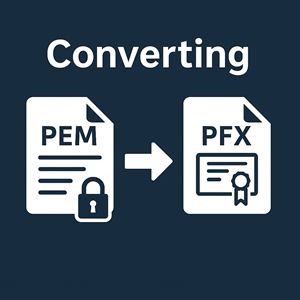
The 60-Second Solution: PEM → PFX
If you’re in a hurry and just want something that imports into Windows, here’s the short version.
When you export a cert from AWS Certificate Manager in PEM format, you usually get three files (names may differ slightly):
certificate.pem– the certificate for your domainchain.pem– the intermediate CA certificatesprivate-key.pem– the private key, often with a passphrase
On any machine with OpenSSL installed:
|
1 2 3 4 5 6 7 8 9 10 11 |
# Optional: confirm the certificate and key match openssl x509 -noout -modulus -in certificate.pem | openssl md5 openssl rsa -noout -modulus -in private-key.pem | openssl md5 # Build the PFX openssl pkcs12 -export \ -out mycert.pfx \ -inkey private-key.pem \ -in certificate.pem \ -certfile chain.pem |
OpenSSL will first ask you for the private key’s existing passphrase (if it has one), then ask you to set a new password that will protect the .pfx file itself. That password is what the Windows or IIS administrator will type during import.
Hand them mycert.pfx and the password, and they’re off to the races.
With that out of the way, let’s slow down and talk about what PEM actually is, why cloud platforms like AWS love it, and why Microsoft lives in a PFX-shaped universe.
What PEM Really Is
PEM is a text-based encoding format that wraps base64 data in clear, human-readable headers. Instead of a binary blob, you see blocks like:
|
1 2 3 4 5 |
-----BEGIN CERTIFICATE----- MIIC5jCCAc6gAwIBAgIUH5X2… …lots of base64… -----END CERTIFICATE----- |
and for keys:
|
1 2 3 4 |
-----BEGIN PRIVATE KEY----- MIIEvAIBADANBgkqhkiG9w0BAQEFAASCBKcwggSjAgEAAoIBAQ… -----END PRIVATE KEY----- |
There’s nothing mystical here. It’s simply binary structures (like X.509 certificates and private keys) that have been base64-encoded and wrapped in friendly markers. That makes them easy to move through text-based systems: configuration files, environment variables, Git, email, and so on.
In the Linux/OpenSSL world, PEM fits the philosophy of “everything is a file.” Services such as Nginx and Apache are configured by pointing directly at PEM files on disk: one for the certificate and its chain, one for the private key. Permissions on those files do the security work: certificate files can be readable by many processes, while the key file is locked down to root or a specific service account.
Because PEM is text, it’s also trivial to inspect and manipulate. You can use openssl x509 -in cert.pem -text to read the details of a certificate, or cat two certs together to build a chain. Automation tools like Let’s Encrypt’s certbot and countless internal scripts treat PEM files as straightforward input and output. For cloud providers like AWS, which target containerized workloads, load balancers, and automation-heavy environments, PEM is the most natural format they could choose.
Why the Linux/Cloud World Prefers PEM
Over time, PEM has become a kind of common language for TLS in the open-source ecosystem. Its strengths line up nicely with how those systems are designed.
First, PEM encourages a clear separation between public and private material. A certificate is public by definition; a private key is not. Having them in separate files makes it easy to give read access to the cert wherever needed while keeping the key restricted. This maps directly to simple Unix file permissions and fits nicely with container images, configuration management, and “infrastructure as code.”
Second, PEM works well in pipelines. Need to renew a certificate? A script pulls a new PEM from your CA, verifies it, writes it to /etc/ssl/certs, and reloads the service. Need to concatenate a new intermediate certificate? Append another PEM block to the file. There’s no special “certificate store” layer to think about; you just work with plain files and simple tools.
Third, PEM is transparent. You don’t have to trust a UI or a wizard to tell you what’s inside. OpenSSL can show you exactly which subject names, key lengths, and validity periods you have, and it’s easy to compare moduli or public keys to confirm that a certificate and a key belong together.
All of that makes PEM a natural choice for AWS Certificate Manager exports: ACM is living in a Linux-heavy, automation-heavy, open-source-friendly neighborhood.
Why Windows and IIS Want PFX
Windows, IIS, and much of the Microsoft ecosystem grew up with a different model: instead of handing applications direct paths to key files, the operating system maintains a central certificate store. Applications talk to that store through APIs, and administrators manage it through GUI tools like MMC and IIS Manager.
In that world, PFX (a PKCS#12 container) is the preferred way to move identities around. A PFX file is a single binary package that can contain the private key, the leaf certificate, and the intermediate CA chain, all protected with one password. When you import that file on Windows, the OS can place each piece in the right store and associate the private key with the certificate automatically.
This all-in-one approach matches how Windows admins typically work. Instead of juggling three separate files and worrying about which goes where, they import one PFX, answer a few prompts in a wizard, and the certificate appears in the appropriate list. From there, IIS or other services can simply pick it from a dropdown.
It also fits neatly into Windows’ security architecture. The certificate store can enforce which accounts have access to private keys, integrate with smart cards and TPMs, and allow centralized management via policies and scripts that talk to the store rather than poking at raw files. In that sense, PFX is not just a random format preference; it’s the on-ramp into the whole Windows way of handling keys and certificates.
Given that history, it’s not surprising that many Windows-focused tools and vendors talk almost exclusively in terms of “upload a PFX” and that some admins genuinely think “certificate file” and “PFX” are synonymous.
The Downsides of PFX
PFX has a lot going for it on the Windows side, but it’s not without trade-offs—especially if you’re coming from the cloud/Unix world.
One obvious downside is that PFX is a binary format. You can’t casually open it in a text editor to see what it contains. To inspect or manipulate it, you need specific tools (like OpenSSL or the Windows certificate wizards). That makes it less friendly to simple scripting, version control, or quick sanity checks compared with PEM.
Another issue is that PFX files typically bundle the private key and certificates together. That’s convenient, but it also means that a single file, if mishandled, gives away everything an attacker needs to impersonate your site. With PEM, it’s common to store certificates and keys separately and restrict the key much more tightly. With PFX, people sometimes email the whole package around because “it’s just the cert,” not fully appreciating that the private key is riding along.
PFX passwords can also be a weak point. Because the file is designed to be portable, it’s easy to fall into the habit of setting simple export passwords (“just to get it into IIS”) and then losing track of how widely that password and file have been shared. In contrast, PEM key files rely more on file-system security and, optionally, key-level passphrases that rarely leave the machine.
Finally, PFX is simply less portable in non-Windows environments. Many open-source services can’t use PFX directly, or only do so with extra configuration. In mixed environments you often end up converting back and forth between PFX and PEM, which adds complexity and more opportunities for mistakes.
None of these are fatal flaws, but they’re worth understanding. PFX is great for importing into Windows; it’s not always the ideal format for long-term storage, automation, or cross-platform reuse.
Bridging the Gap: AWS/PEM to Windows/PFX
When AWS Certificate Manager hands you PEM files and a Windows admin demands a PFX, you’re really doing a translation between two cultures.
On the ACM side, you have raw building blocks: a PEM-encoded certificate, a PEM-encoded chain, and a PEM-encoded private key. They are easy to inspect, script, and deploy to Linux services. On the Windows side, you have a certificate store that understands PFX as a convenient, self-contained package.
The OpenSSL conversion step is the bridge: you verify that the certificate and key actually match, then wrap them (plus the chain) into a PFX file with a password suitable for import. After that, Windows can treat the PFX as if it had been minted just for its certificate store, and the admin doesn’t need to care that it originally came from AWS in a different format.
Once you see it that way, “AWS only gives me PEM” stops feeling like a limitation and more like a sensible default for the cloud ecosystem, with a straightforward path into the Windows world when you need it.
Conclusion
PEM and PFX aren’t rivals so much as products of two different histories.
PEM is the native tongue of the Unix and cloud world: simple text files, obvious boundaries between public and private material, and great ergonomics for scripts, container images, and infrastructure-as-code. That’s why AWS Certificate Manager exports PEM and why most open-source TLS tools expect it.
PFX is the passport for Windows’ certificate store: a single, password-protected bundle that fits neatly into GUI-driven workflows and Windows security APIs. It’s convenient for administrators who live in MMC and IIS, but more opaque and less flexible for automation-heavy environments.
When you understand both sides, converting an ACM PEM export into a Windows-friendly PFX stops being mysterious. It’s just packaging: verify your pieces, bundle them correctly, and give the Windows admin the one file and password they want—while you keep the clean, scriptable PEM world that works best for your infrastructure.
And the next time someone says “the private key doesn’t match,” you’ll know exactly how to prove otherwise.




