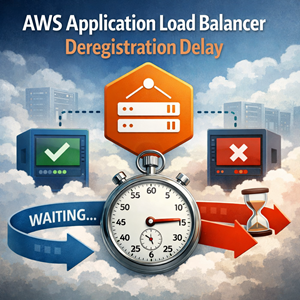
When you run anything behind an Application Load Balancer, instances and containers are constantly coming and going—Auto Scaling scale-in, ECS rolling deploys, EKS node drains, blue/green cutovers, patch windows. Deregistration delay is the setting that determines how politely the ALB lets a target exit before it’s considered fully “gone.”
What deregistration delay is (and why it matters)
Deregistration delay is a target group attribute that controls how long Elastic Load Balancing keeps a target in a draining state after it’s deregistered or removed. During draining, the load balancer stops sending new requests to that target and gives in-flight requests a chance to finish.
If you set it too low, you’ll see avoidable client errors during deployments and scale-in events. If you set it too high, you’ll slow down rollouts and scale-in, and you’ll carry extra capacity longer than necessary.
How it works (mental model)
Two practical details:
- If there are no active requests (and no active connections), draining can finish quickly even with a higher delay.
- If your application or orchestrator kills connections before draining completes, clients will still see failures. The load balancer can’t finish requests your app refuses to serve.
How to set deregistration delay
AWS Console
- EC2 Console → Target Groups
- Select your target group
- Attributes tab → Edit
- Set Deregistration delay
- Save
AWS CLI
|
1 2 3 4 |
aws elbv2 modify-target-group-attributes \ --target-group-arn arn:aws:elasticloadbalancing:...:targetgroup/your-tg/... \ --attributes "Key=deregistration_delay.timeout_seconds,Value=60" |
CloudFormation
|
1 2 3 4 5 6 7 8 9 10 11 |
Resources: MyTargetGroup: Type: AWS::ElasticLoadBalancingV2::TargetGroup Properties: Protocol: HTTP Port: 80 VpcId: !Ref VpcId TargetGroupAttributes: - Key: deregistration_delay.timeout_seconds Value: "60" |
Terraform
|
1 2 3 4 5 6 7 8 |
resource "aws_lb_target_group" "app" { name = "app-tg" port = 80 protocol = "HTTP" vpc_id = var.vpc_id deregistration_delay = 60 } |
Best practices that hold up in production
Choose the delay from your real request durations
Start by looking at your telemetry (ALB target response time, application latency metrics, tracing). A good rule of thumb is to set deregistration delay a bit above your p95/p99 request duration, plus a small safety buffer.
If your typical request completes in tens of milliseconds, a 5-minute drain window is just wasted time. If you have legitimate 60–120 second requests (reports, exports, long-polling), a short delay will cut users off mid-flight.
Make your shutdown behavior cooperate with draining
Deregistration delay only helps if your service stays alive long enough to finish what it already started.
At minimum:
- Stop advertising readiness quickly so new traffic doesn’t keep arriving.
- Keep the process running long enough to finish in-flight requests.
- Ensure your orchestrator’s “hard kill” time is greater than your drain window.
Avoid setting it to 0 unless you’re very sure
A delay of 0 can be fine for truly stateless, ultra-short requests where retries are harmless. For most customer-facing services, it’s a common “mystery 5xx during deploys” footgun.
Don’t set it sky-high unless you intend to slow everything down
A large drain window is a tax you pay on every scale-in and deployment event. It can:
- slow rollouts
- slow scale-in
- keep old capacity around longer than expected
Validate with an intentional drain test
Before you standardize a number, test it:
- Run a request that lasts longer than average.
- Deregister a target (or trigger a rolling deployment).
- Confirm the request finishes and that client errors don’t spike.
If you rely heavily on keep-alives or long-lived connections (SSE/WebSockets), test those too—draining behavior can differ from the “short HTTP request” world.
Recommended defaults (EC2+ASG, ECS, and EKS)
These aren’t universal truths, but they’re solid starting points that avoid most painful surprises. The key is to make three timeouts line up:
- ALB target group deregistration delay (how long the load balancer will wait)
- Application shutdown grace (how long your app will keep serving in-flight work)
- Platform termination grace (how long the platform waits before hard-killing)
EC2 + Auto Scaling Groups (targets are instances)
Good default: 60s deregistration delay for typical web/API services.
Pair it with:
- ASG lifecycle hooks (optional but recommended) to pause termination until the instance has drained and your shutdown steps complete.
- A shutdown script that stops accepting new work (or stops the app cleanly) but keeps the process alive for the drain window.
When to increase: if you have legitimate long-running requests (exports, batch endpoints) that routinely exceed a minute.
When to decrease: if p99 request time is under a second and you need very fast scale-in/rollouts.
ECS (targets are tasks)
Good default: 30–60s deregistration delay for most services.
Pair it with:
- Container stop timeout / graceful shutdown that is at least the deregistration delay (and ideally a bit higher).
- Deployment settings that avoid draining too many tasks at once. If you run with a small task count, keep a conservative minimum healthy percent so you don’t drop below capacity while tasks drain.
When to increase: workloads with longer requests, or when downstream dependencies occasionally cause slow responses.
When to decrease: very high-churn services where tasks come and go frequently and requests are short.
EKS (targets are pods via AWS Load Balancer Controller)
Good default: 60s deregistration delay, plus Kubernetes termination settings that match.
Pair it with:
terminationGracePeriodSeconds: 90(a safe starting point)- A
preStophook (optional) to flip readiness and allow the pod to drain - Readiness probes configured so a pod is marked unready quickly during shutdown
Rule of thumb: set terminationGracePeriodSeconds greater than deregistration delay (for example, 90s grace with 60s deregistration delay). That way the pod isn’t force-killed while the ALB is still trying to let in-flight requests finish.
Common pitfalls
- Confusing deregistration delay with idle timeout. They solve different problems.
- Setting the delay on the load balancer instead of the target group.
- Forgetting that different target groups may need different drain behavior (e.g.,
/apivs/stream). - Letting the orchestrator kill workloads sooner than the drain window.
Quick checklist
- Measure p95/p99 request duration
- Set deregistration delay to slightly above p99 (with buffer)
- Ensure app shutdown is graceful and lasts long enough
- Ensure platform termination grace exceeds the drain window
- Test a real drain during deployment/scale-in




