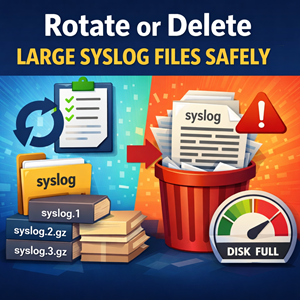
If your /var/log/syslog (Debian/Ubuntu) or /var/log/messages (RHEL/CentOS/Alma/Rocky) has ballooned to multiple gigabytes, you’re usually seeing one of two things:
- A misbehaving service spamming logs, and/or
- Log rotation not running (or not configured).
The good news: you can reclaim space safely without breaking logging — as long as you avoid the classic trap of deleting a file that a daemon still has open.
Quick orientation: what’s writing the file?
On many distributions, the file is written by rsyslog (or sometimes syslog-ng). On more modern systems, systemd-journald may be the primary store, with syslog acting as a forwarder.
Common log files:
- Debian/Ubuntu:
/var/log/syslog,/var/log/auth.log,/var/log/kern.log - RHEL-like:
/var/log/messages,/var/log/secure
Option A (recommended): rotate it with logrotate
Most systems already use logrotate. Rotation renames the current log, starts a fresh one, and optionally compresses and prunes old logs.
1) See whether logrotate manages syslog/messages
|
1 2 3 4 5 |
ls -l /etc/logrotate.d/ # Look for rules covering syslog/messages grep -R "syslog\|messages" -n /etc/logrotate.d /etc/logrotate.conf 2>/dev/null |
Typical config files:
- Debian/Ubuntu:
/etc/logrotate.d/rsyslog - RHEL-like:
/etc/logrotate.d/syslogor/etc/logrotate.d/rsyslog
2) Force a rotation right now
|
1 2 |
sudo logrotate -vf /etc/logrotate.conf |
-vshows what it’s doing-fforces rotation even if it’s “not time yet”
3) A solid baseline rotation rule (example)
If you need to tune your syslog rotation, a common pattern is:
|
1 2 3 4 5 6 7 8 9 10 |
/var/log/syslog { daily rotate 14 compress delaycompress missingok notifempty copytruncate } |
Notes:
rotate 14keeps two weeks of history (adjust to taste)compress+delaycompresskeeps last rotated file uncompressed for easy readingcopytruncateis useful when the writer doesn’t reliably close/reopen logs — it copies the file then truncates the original without needing the daemon to reopen.
Many default distro configs use a postrotate block to signal rsyslog instead. Either approach can work; the default config shipped by your distro is usually a good starting point.
Option B (fastest): truncate the log to zero (safe “delete”)
If the log is huge and you just need space now, truncating is often the safest immediate action.
Truncate syslog/messages without stopping logging
|
1 2 3 4 5 6 |
# Debian/Ubuntu sudo truncate -s 0 /var/log/syslog # RHEL-like sudo truncate -s 0 /var/log/messages |
Alternative (equivalent):
|
1 2 |
sudo sh -c ': > /var/log/syslog' |
Truncation keeps the same inode and file permissions — the logging daemon can keep writing without getting confused.
Avoid the trap: rm doesn’t always reclaim space
If you do this:
|
1 2 |
sudo rm -f /var/log/syslog |
…rsyslog may continue writing to the already-open file handle. The directory entry is gone, but disk space may not be freed until the daemon closes the file.
If you deleted it and disk space didn’t come back
Find deleted-but-still-open log files:
|
1 2 |
sudo lsof | grep -E 'deleted.*(syslog|messages)|/var/log' |
Then restart the logging service:
|
1 2 3 4 |
sudo systemctl restart rsyslog # or on some systems sudo systemctl restart syslog |
After restart, the space tied to those deleted file handles is released.
If you’re using systemd journal: prune it too
On many modern distros, journald can be the real disk hog.
Check journal usage:
|
1 2 |
journalctl --disk-usage |
Prune old entries by time:
|
1 2 |
sudo journalctl --vacuum-time=14d |
Or cap by size:
|
1 2 |
sudo journalctl --vacuum-size=500M |
If journald is persistently enormous, review /etc/systemd/journald.conf (e.g., SystemMaxUse=) — but change limits thoughtfully, especially on incident-prone systems.
Why did it get huge? Find the spammer
Rotation prevents infinite growth, but it’s still worth identifying what is flooding logs.
Quick peek at the latest messages
|
1 2 |
sudo tail -n 200 /var/log/syslog |
Find frequent talkers (rough heuristic)
Syslog formats vary, but a fast-and-loose way to spot patterns:
|
1 2 3 |
# Often the "program[pid]:" token appears around field 5 sudo awk '{print $5}' /var/log/syslog | sort | uniq -c | sort -nr | head |
If the output looks weird, don’t worry — paste a handful of representative log lines and you can craft a better parser for your specific format.
Common culprits
- A service in a crash/restart loop
- DNS failures or timeouts (lots of retries)
- Disk full / permission errors causing repeated writes
- Misconfigured application log level (
debugin production)
A practical playbook
When you log in and see a 30 GB syslog:
- Truncate (fast reclaim):
truncate -s 0 /var/log/syslog - Force rotate:
logrotate -vf /etc/logrotate.conf - Verify rotation schedule (cron/systemd timer) is actually running
- Find the spammer and fix the root cause
- Set retention to match your needs (compliance, troubleshooting, disk size)
Conclusion
The safest way to “delete” an overgrown syslog file is usually to rotate it (logrotate) or truncate it (keep the file but clear contents). Avoid rm unless you understand open file handles — and don’t forget that journald may be the real source of disk usage.
If you want, share:
- your distro (Ubuntu vs RHEL-like),
- whether you use rsyslog/syslog-ng, and
- the output of
journalctl --disk-usage
…and you can tailor rotation and retention settings to your environment.




