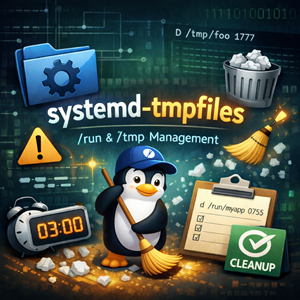
What is systemd-tmpfiles?
If you’ve ever wondered who creates /run/nginx/ at boot, why a daemon’s PID directory exists before the service starts, or how “mystery” files in /tmp magically disappear after a while—there’s a good chance systemd-tmpfiles is involved.
systemd-tmpfiles is a small but powerful systemd component that creates, cleans, and removes files and directories based on declarative rules in tmpfiles configuration. Despite the name, it’s not just for “temporary” things: you can use it as a general-purpose, policy-driven filesystem caretaker for runtime dirs, state files, sockets, and cleanup jobs.
At boot, it’s typically invoked by systemd units like systemd-tmpfiles-setup.service (creation/setup) and later by systemd-tmpfiles-clean.timer (periodic cleanup).
Why sysadmins should care
1) Stop hand-rolling runtime directory creation
Historically, init scripts created runtime directories with mkdir -p and chown. With systemd, you can move this into tmpfiles rules so that the directory exists before your service starts, with the correct ownership and permissions.
2) Cleanup that’s consistent and audited
Instead of sprinkling cron jobs across a fleet to delete old files, you can define retention in one place and let systemd handle it.
3) Safer boot-time actions
Some filesystem operations are fine during early boot but risky later. Tmpfiles supports marking rules as “boot-only” so they don’t unexpectedly run on a live system.
Where tmpfiles rules live
Rules are read from drop-in directories (exact paths vary a bit by distro, but commonly):
/usr/lib/tmpfiles.d/*.conf(vendor / package-provided)/run/tmpfiles.d/*.conf(runtime-generated)/etc/tmpfiles.d/*.conf(local admin overrides)
These files are processed in lexicographic filename order, and when multiple entries target the same path, the rule from the lexicographically earliest file is applied while conflicts are logged.
Disabling a vendor rule: if a package ships foo.conf and you want to fully disable it, the recommended approach is to place a symlink named the same in /etc/tmpfiles.d/ pointing to /dev/null.
The tmpfiles rule format (the 10-second version)
Each non-comment line generally looks like:
|
1 2 3 |
#Type Path Mode User Group Age Argument... d /run/myapp 0750 myapp myapp - - |
Fields (in order):
- Type (what to do)
- Path (what it applies to)
- Mode (permissions, e.g.
0755) - User
- Group
- Age (for cleanup rules, e.g.
10d,2w,1h) - Argument (type-specific extra parameter)
Most fields can be - to mean “use default / don’t change”.
Common rule types you’ll actually use
Here are a few high-leverage types that cover most day-to-day admin needs:
Create a directory at boot (d)
Create the directory if missing, and ensure ownership/mode.
|
1 2 |
d /run/myapp 0750 myapp myapp - - |
Create a file if missing (f) (optionally with initial content)
If the file doesn’t exist, create it.
|
1 2 |
f /var/lib/myapp/initialized 0644 myapp myapp - "created-by-tmpfiles" |
Write a file (w)
Unlike f, this is used to write a value (often used for sysctl-like knobs exposed as files).
|
1 2 |
w /proc/sys/net/ipv4/ip_forward - - - - 1 |
Fix permissions/labels (z/Z and friends)
Use these when the path exists but you want to ensure correct mode/ownership/labels.
|
1 2 |
z /var/log/myapp 0750 myapp myapp - - |
Remove files/dirs (r / R)
Use with care. These are destructive.
|
1 2 |
r /tmp/ancient-debug.sock - - - - - |
Clean old files based on age
This is the “janitor” behavior: anything under a directory older than your age threshold gets cleaned.
|
1 2 |
d /var/tmp/myapp 0750 myapp myapp 30d - |
(That 30d in the age field is what makes --clean prune old entries.)
Running it manually (and safely)
Most of the time you don’t need to run systemd-tmpfiles yourself—but it’s great for testing and troubleshooting.
See what would happen (dry-run)
|
1 2 3 |
systemd-tmpfiles --create --dry-run systemd-tmpfiles --clean --dry-run |
Apply only a subset of paths
|
1 2 |
systemd-tmpfiles --create --prefix=/run/myapp |
Use a specific config file (great for testing a new rule)
|
1 2 |
systemd-tmpfiles --create /etc/tmpfiles.d/myapp.conf |
Boot-only rules: the “don’t do this on a live system” switch
Tmpfiles supports marking some lines with a boot-only modifier so they run when systemd-tmpfiles is executed with --boot (early in boot), but are skipped in later invocations.
This is useful when a rule could be disruptive once the system is fully running.
Practical patterns that work well
Pattern: Runtime dirs for services that don’t use RuntimeDirectory=
Yes, systemd service units have RuntimeDirectory=, and you should use it when possible. But there are still cases where tmpfiles is cleaner:
- multiple dirs owned by different users
- mixed paths under
/runand/var/tmp - shared dirs across multiple units
Example:
|
1 2 3 |
d /run/myapp 0750 myapp myapp - - d /run/myapp/admin 0750 root myapp - - |
Pattern: Keep /var/tmp tidy without touching active files
Use an age policy so you prune stale items without racing live workloads.
|
1 2 |
d /var/tmp/myapp 0750 myapp myapp 14d - |
Gotchas and best practices
- Start with
--dry-run. Especially for removal rules. - Keep rules app-specific. One
myapp.confis easier to reason about than “misc.conf”. - Prefer
/etc/tmpfiles.d/for local changes. Avoid editing vendor rules in/usr/lib/tmpfiles.d/. - Be careful with
r/Rand wild paths. A typo can become an outage. - Document your intent in comments. Future-you will thank you.
Quick troubleshooting checklist
- List your effective rules by inspecting
*.confunder/etc/tmpfiles.d,/run/tmpfiles.d,/usr/lib/tmpfiles.d. - Run:
12systemd-tmpfiles --create --dry-run --prefix=/the/path - Check journal output for tmpfiles-related messages.
- If a vendor rule is fighting you, disable it with the
/etc/tmpfiles.d/<same-name>.conf -> /dev/nullsymlink.
Closing thoughts
systemd-tmpfiles is one of those tools that quietly makes modern Linux systems feel “tidy”: things exist when they should, old junk doesn’t pile up forever, and policy lives in clear, reviewable config.
If you’re maintaining services at scale, it’s worth treating tmpfiles rules as first-class infrastructure—version them, review them, and make them part of your boot-to-steady-state story.




