
Let IAM users self-manage MFA in an AWS account (without giving away the keys)
Give IAM users the ability to enroll and manage their own MFA devices in AWS—without opening up risky permissions. This guide walks through a least-privilege IAM group setup using two customer-managed policies: one to enable self-service MFA actions and one to enforce MFA for all other access, plus a simple CLI workflow and break-glass best practices.

User Journey Diagrams with Mermaid
Mermaid user journey diagrams turn fuzzy “user clicks around” stories into clear stages, tasks, and friction points. Learn the journey syntax, scoring (0–5), multiple actors (support/billing), and how to pair journeys with flowcharts or sequence diagrams to make improvements actionable.
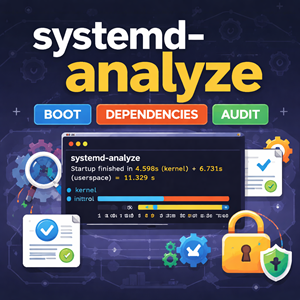
systemd-analyze: Measure Boot Time, Trace Dependencies, and Audit Unit Files
systemd-analyze turns “this box boots slow” into hard data. Learn how to measure boot time, identify the true critical-path blockers, generate an easy-to-share SVG boot timeline, lint unit files before deploying changes, and audit service hardening so you can make boots faster and services safer.

ER Diagrams for What’s in the Database with Mermaid
Mermaid ER diagrams are a simple way to answer “what’s in the database?” without drowning in DDL. Learn cardinality, optional relationships, join tables, reference data, and real-world patterns that keep diagrams readable and accurate.

Install WordPress with WP-CLI (with Interactive Prompts)
Install WordPress from the command line using WP-CLI: download core, generate wp-config.php, and run the install in minutes. Then eliminate flag-fatigue with WP-CLI’s interactive –prompt mode and a simple wp-cli.yml so repeat installs feel like a guided wizard.
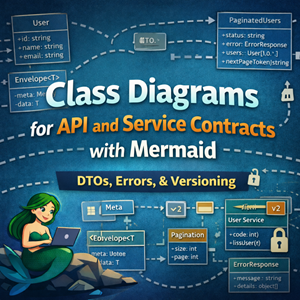
Class Diagrams for API and Service Contracts with Mermaid
Mermaid class diagrams are a great way to document API and service contracts: request/response DTOs, reusable envelopes, pagination, errors, and service interfaces. This guide shows practical patterns and examples you can keep in git alongside your code.

WordPress “The link you followed has expired” — Fixing Upload POST Size Limits (Apache proxy_fcgi + PHP-FPM)
WordPress’s “The link you followed has expired” is often a misleading symptom of a server-side upload rejection. When PHP (or the web server) refuses a large POST body—like a theme/plugin ZIP—WordPress never receives the request and falls back to that generic message. The fix is to raise post_max_size and upload_max_filesize (plus a sensible memory_limit), restart PHP-FPM, and re-try the upload.

State Diagrams for Lifecycle Modeling with Mermaid
State diagrams answer a different question than flowcharts and sequence diagrams. Flowcharts: What steps happen? Sequence diagrams: What calls happened in what order? State diagrams: What states can this thing be in, and what events move it between states? If you’ve ever tried to explain “healthy → draining → terminated” (or “closed → open → half-open”), a state diagram is usually the cleanest way to do it. This post focuses on Mermaid state diagrams for modeling lifecycles you’ll actually run into in ops and engineering: deploys, load balancers, workers, and circuit breakers. A quick refresher: the minimum you need Mermaid’s modern syntax is stateDiagram-v2. Source
|
1 2 3 4 5 6 7 8 |
stateDiagram-v2 [*] --> Idle Idle --> Running: start Running --> Idle: stop Running --> Failed: crash Failed --> Idle: recover Idle --> [*] |
Rendered Conventions worth adopting Use nouns for states: Healthy, Draining, Degraded Use verbs/events on arrows: timeout, deploy, deregister, success Keep labels short; if you need paragraphs, add a note or link to a runbook 1) Model “system lifecycle” states (a great first use) Many
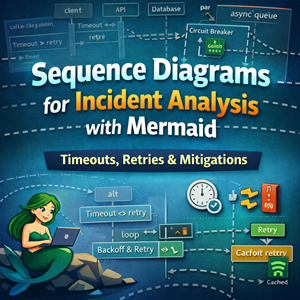
Sequence Diagrams for Incident Analysis with Mermaid
Sequence diagrams are perfect for postmortems: they show what happened in order and where time went. Learn Mermaid features for modeling timeouts, retries, fan-out, async queues, and mitigations like circuit breakers and cached fallbacks.
Min, Max, Mean, Average, P90, P95, and P99: What They Mean (and When to Use Them)
If you’ve ever looked at system metrics, API latency charts, or a performance report, you’ve probably seen a mix of terms like minimum, maximum, mean, average, and percentile values like p90, p95, and p99. They all describe “what the numbers look like,” but they answer different questions. Picking the wrong one can hide real problems—or make healthy systems look broken. This guide explains what each metric means, how to interpret it, and which one to use for common monitoring and reporting scenarios. A quick mental model Imagine you measure the response time for 10,000 requests over a minute. You now have a list of numbers (one per request). Summary statistics help you describe that list: Min/Max: the extremes Mean/Average: the center (one kind of “typical”) Percentiles (p90/p95/p99): “how bad it gets for the slowest X% of requests” Minimum (min) Definition: The smallest observed value. What it answers: “What’s the fastest
Understanding RTO And RPO For Managers
When a key system suddenly goes down, you’re not looking for a technical root cause—you’re trying to understand impact: time, money, and trust. Concepts like Recovery Time Objective (RTO) and Recovery Point Objective (RPO) give managers a clear, non-technical way to talk about how long the business can afford to be offline and how much data it can safely risk.
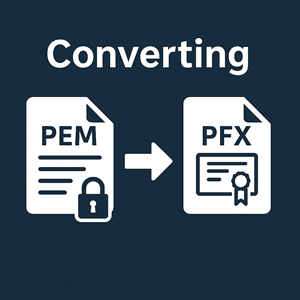
Converting AWS ACM PEM Certificates to PFX for Windows IIS
When AWS Certificate Manager hands you a bundle of PEM files and your Windows admin demands a .pfx, it can feel like two different worlds colliding. In the cloud and Linux ecosystem, PEM is the natural format for TLS: simple text files that are easy to script, inspect, and deploy. Windows and IIS, on the other hand, live in a certificate-store universe where PFX rules. In this article we walk through the quick OpenSSL conversion from PEM to PFX, then dig into why these formats exist, why AWS only gives you PEM, and what you gain (and lose) when you move everything into a .pfx file.

Beyond Apache and Nginx: A Brief History of Web Servers and the Unsung Daemons
When we talk about web servers, the story usually stops at Apache and Nginx. But the web was shaped by a long line of lesser-known daemons—from thttpd and lighttpd to Zeus, Cherokee, Caddy, and H2O—that quietly pioneered performance, automation, and new HTTP protocols behind the scenes.
Apache vs Nginx: A Tale of Two Web Servers
Apache and Nginx power a huge share of the modern web, but they were born in very different eras to solve very different problems. This article traces their histories from NCSA HTTPd and the C10k problem through to today’s hosting stacks, then compares their architectures, strengths, weaknesses, and ideal use cases.
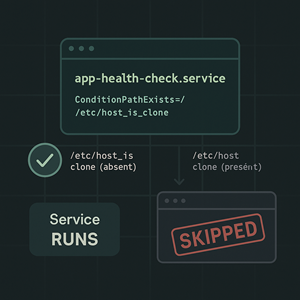
Using ConditionPathExists and Friends in systemd Units
Systemd can do more than just start and restart services. With unit conditions like ConditionPathExists, you can make services environment-aware: skip jobs on cloned hosts, only run backups when a volume is mounted, or gate first-boot tasks — all without shell wrappers.

How to Export a DNS Zone File from Plesk (for Migrations, Backups, and Audits)
Need a clean DNS zone file out of Plesk for a migration or backup? In this guide, we walk through exporting zone files via the Plesk UI with the Transfer of DNS Records extension and directly from the server’s BIND configuration, with notes on common pitfalls and how to use the exported file.

Using PHP APCu on Plesk: Installation, Tuning, and Pitfalls
APCu is a lightweight in-memory cache for PHP that can dramatically cut database and API load on Plesk-based servers. In this guide we walk through what APCu is, how to install it against Plesk’s PHP builds, how to enable and tune it per domain, and what pitfalls to watch for so you don’t accidentally starve your VPS of memory or end up with a thrashing cache.
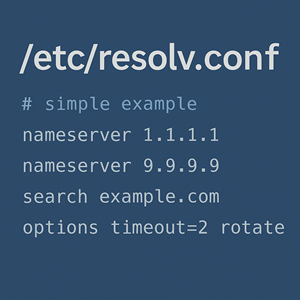
Understanding /etc/resolv.conf: Purpose, History, and Common Uses
/etc/resolv.conf is a tiny file with an outsized impact: it tells your Linux resolver which DNS servers to use, how to build hostnames, and how aggressive to be with retries and timeouts. This guide walks through its history, modern management with systemd and network managers, and practical tips for troubleshooting DNS.
Making PHP Think It’s on HTTPS (Even When It Isn’t)
When you move PHP sites behind a load balancer, reverse proxy, or CDN, the browser may connect over HTTPS while PHP only ever sees plain HTTP. That’s when URLs, cookies, and “force HTTPS” logic start misbehaving. In this article we explain how PHP actually detects HTTPS, why simply setting $_SERVER[‘HTTPS’] = ‘on’ is risky, and how to correctly configure Apache, nginx, and Plesk so your apps generate secure URLs and behave as if they’re truly running over HTTPS.
Git Reflog: Your Last Line of Defense When Everything Goes Wrong
Git has a reputation for being unforgiving, but it quietly keeps a trail of where your branches and HEAD have been. In this article we look at git reflog as your last line of defense—how to recover from hard resets, deleted branches, and bad rebases before they turn into real disasters.