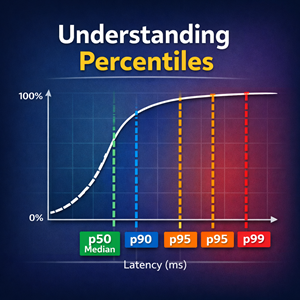
Min, Max, Mean, Average, P90, P95, and P99: What They Mean (and When to Use Them)
Percentiles like p90, p95, and p99 describe how slow things get for the “worst” slice of requests—something the mean often hides. This guide explains min, max, mean/average, and percentiles in plain language, plus when to use each in monitoring and SLOs.

Flowcharts Beyond the Basics with Mermaid
Go past “boxes and arrows” with Mermaid flowcharts. Learn subgraphs, layout tricks, reusable styling with classDefs, meaningful edge labels, link types, and a real-world deploy + drain example you can reuse in future posts.

Turning Text into Diagrams: An Introduction to Mermaid Flowcharts
Mermaid lets you turn plain text into clean, versionable diagrams that live right alongside your docs and code. In this post we walk through the basics of Mermaid flowcharts and show how to embed them in your blog or documentation, with practical examples you can copy and paste.
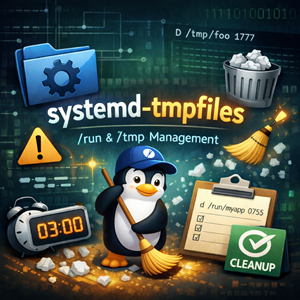
systemd-tmpfiles: The Unsung Janitor of /run and /tmp
How tmpfiles rules create runtime directories, enforce permissions, and clean up old files—plus safe patterns and practical examples.
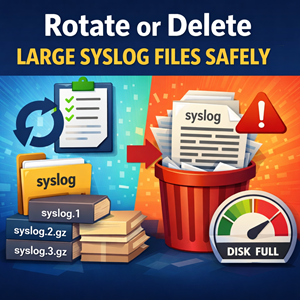
Rotate or delete an overgrown syslog file (safely)
If your /var/log/syslog (Debian/Ubuntu) or /var/log/messages (RHEL/CentOS/Alma/Rocky) has ballooned to multiple gigabytes, you’re usually seeing one of two things: a service spamming logs, or log rotation not running. The good news is you can reclaim space safely without breaking logging — as long as you avoid the classic trap of deleting a file that a daemon still has open. In this guide, we’ll walk through the safest options: rotating with logrotate, truncating in place, recovering space after an accidental rm, and (if needed) vacuuming systemd’s journal.
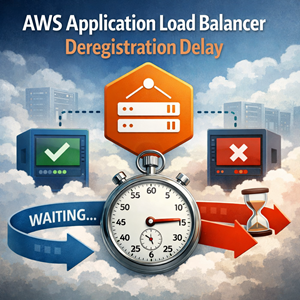
Deregistration Delay on AWS Application Load Balancers (ALB)
Learn what deregistration delay does in AWS Application Load Balancer target groups, how to configure it (Console/CLI/IaC), and recommended defaults for EC2 Auto Scaling, ECS, and EKS to reduce deploy and scale-in errors.
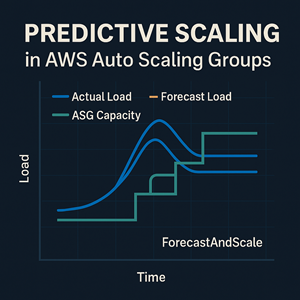
Predictive Scaling in AWS Auto Scaling Groups
AWS Predictive Scaling for EC2 Auto Scaling Groups forecasts your future demand from historical CloudWatch metrics and scales out ahead of time—ideal for workloads with daily or weekly traffic patterns. This article explains how it works, what it does (and doesn’t) do, and how to use it effectively alongside dynamic scaling.
systemd-cat: Logging to the Journal from the Command Line
systemd-cat is a simple way to route command output and pipelines into journald, making scripts and one-off maintenance runs searchable with journalctl.

Recording Terminal Sessions with the script Command
The classic Unix script command records your terminal sessions to a file—perfect for change logs, incident notes, reproducible runbooks, and support handoffs (as long as you treat the output like sensitive data).

Getting Started with GitHub CLI (gh): GitHub From Your Terminal
GitHub’s web UI is great, but it can feel slow when you live in a terminal. In this guide we introduce the GitHub CLI (gh), walk through installation and authentication, and show a few everyday commands that bring issues and pull requests straight into your shell.
Min, Max, Mean, Average, P90, P95, and P99: What They Mean (and When to Use Them)
Percentiles like p90, p95, and p99 describe how slow things get for the “worst” slice of requests—something the mean often hides. This guide explains min, max, mean/average, and percentiles in plain language, plus when to use each in monitoring and SLOs.
Flowcharts Beyond the Basics with Mermaid
Go past “boxes and arrows” with Mermaid flowcharts. Learn subgraphs, layout tricks, reusable styling with classDefs, meaningful edge labels, link types, and a real-world deploy + drain example you can reuse in future posts.
Turning Text into Diagrams: An Introduction to Mermaid Flowcharts
Mermaid lets you turn plain text into clean, versionable diagrams that live right alongside your docs and code. In this post we walk through the basics of Mermaid flowcharts and show how to embed them in your blog or documentation, with practical examples you can copy and paste.
systemd-tmpfiles: The Unsung Janitor of /run and /tmp
How tmpfiles rules create runtime directories, enforce permissions, and clean up old files—plus safe patterns and practical examples.
Rotate or delete an overgrown syslog file (safely)
If your /var/log/syslog (Debian/Ubuntu) or /var/log/messages (RHEL/CentOS/Alma/Rocky) has ballooned to multiple gigabytes, you’re usually seeing one of two things: a service spamming logs, or log rotation not running. The good news is you can reclaim space safely without breaking logging — as long as you avoid the classic trap of deleting a file that a daemon still has open. In this guide, we’ll walk through the safest options: rotating with logrotate, truncating in place, recovering space after an accidental rm, and (if needed) vacuuming systemd’s journal.
Deregistration Delay on AWS Application Load Balancers (ALB)
Learn what deregistration delay does in AWS Application Load Balancer target groups, how to configure it (Console/CLI/IaC), and recommended defaults for EC2 Auto Scaling, ECS, and EKS to reduce deploy and scale-in errors.
Predictive Scaling in AWS Auto Scaling Groups
AWS Predictive Scaling for EC2 Auto Scaling Groups forecasts your future demand from historical CloudWatch metrics and scales out ahead of time—ideal for workloads with daily or weekly traffic patterns. This article explains how it works, what it does (and doesn’t) do, and how to use it effectively alongside dynamic scaling.
systemd-cat: Logging to the Journal from the Command Line
systemd-cat is a simple way to route command output and pipelines into journald, making scripts and one-off maintenance runs searchable with journalctl.
Recording Terminal Sessions with the script Command
The classic Unix script command records your terminal sessions to a file—perfect for change logs, incident notes, reproducible runbooks, and support handoffs (as long as you treat the output like sensitive data).
Getting Started with GitHub CLI (gh): GitHub From Your Terminal
GitHub’s web UI is great, but it can feel slow when you live in a terminal. In this guide we introduce the GitHub CLI (gh), walk through installation and authentication, and show a few everyday commands that bring issues and pull requests straight into your shell.